How to Turn Your Otter Transcripts Into an AI Knowledge Base
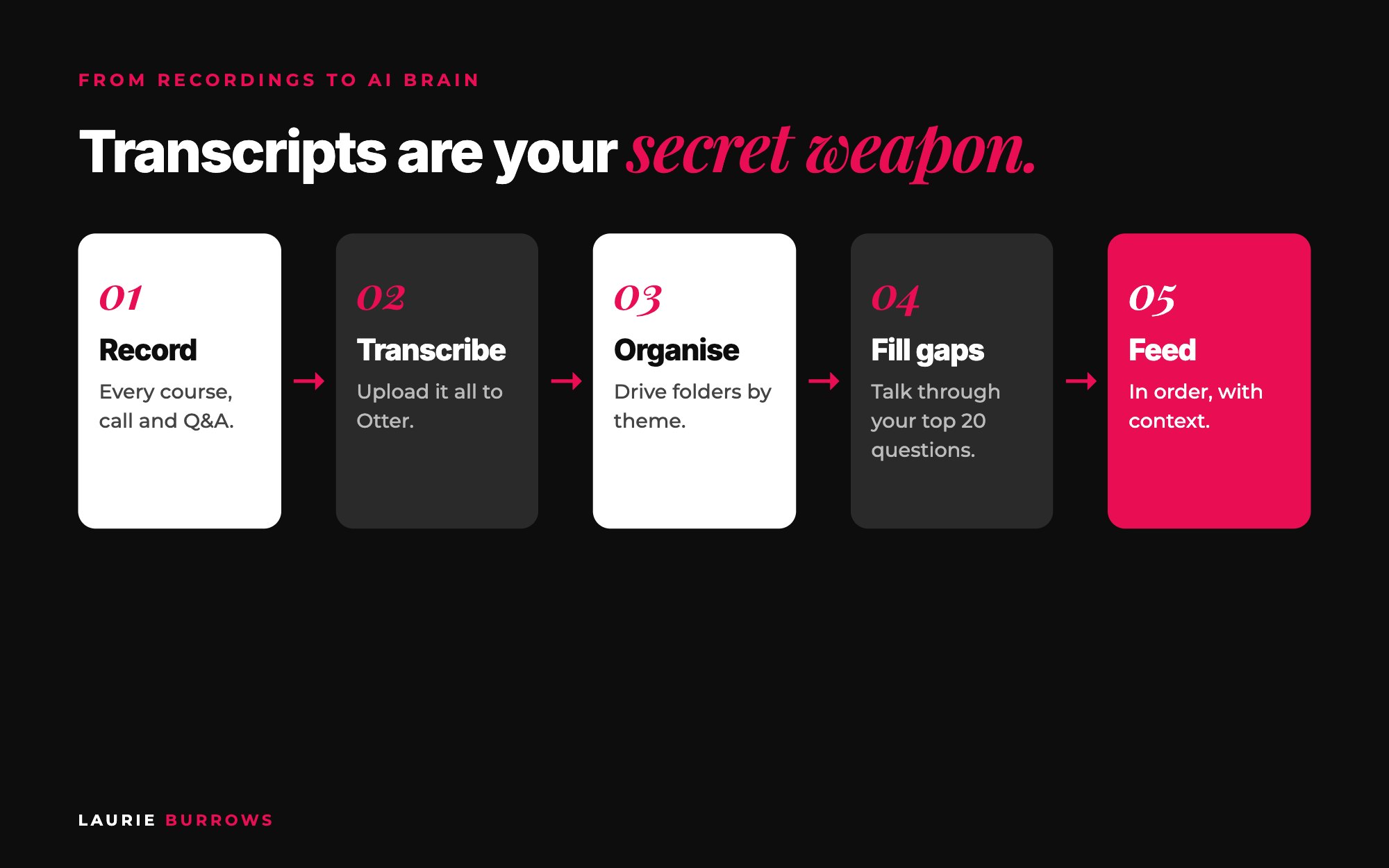
Short answer: to turn your Otter transcripts into an AI knowledge base, set up a Google Drive folder for each step of your method, upload every course, webinar, podcast and Q and A recording to Otter, file each transcript by theme, fill the gaps by recording your frameworks and your top 20 client questions, label every document with a title, category and source, then feed your AI one theme at a time with a note on what each document is and when to use it. Test after every theme. AI can't read videos. It can read words, and Otter turns everything you've ever said into words.
If you've been in business a while, you're sitting on a goldmine and you probably don't even realise it. Hours of trainings, masterclasses, live calls and podcasts. All of your best thinking, locked inside video files that no AI can read.
When I built my custom AI, an AI version of me trained on all of my frameworks, this was the bit that made it sound like me. Not the clever build. The transcripts. Here's exactly how I did it, step by step, with the prompts I use.
This is part of my ultimate guide to building a custom AI for your business. The knowledge base is Part 4 of the build, and it's the step that makes the biggest difference to how your AI sounds.
Why transcripts, not just documents?
- AI builders can't read video or audio. Whether it's a Claude project, a custom GPT or your own platform, you upload readable files: transcripts, PDFs, Word docs and text.
- Transcripts capture how you actually talk. You don't write the way you speak. A transcript picks up your phrases, your humour, your sass.
- It's the depth. Your instructions tell your AI how to behave. Your transcripts teach it how to think: the frameworks, the reasoning, the real examples.
Step 1: Build your folder structure first
Don't dump hundreds of transcripts in one folder. Create the structure before you transcribe anything, so every file has a home. I organise mine in Google Drive by theme, in the order I take a client through my method, with sub folders inside each.
Copy and paste: folder structure
AI Knowledge /
01 Core framework (your method overview)
02 Ideal client
03 Offers and product suite
04 Visibility and content
05 Lead generation and funnels
06 Launches and conversion events
07 Sales (sub folders: objections, sales process, sales teams)
08 Top 20 questions
09 Q and A and coaching calls (with permission)
10 Emails, sales pages and templates
Swap the themes for the stepping stones of your own method. Doing it this way gives you options: upload everything into one big AI, or take one folder and build a smaller AI around just that topic, like one that only handles objections or webinars.
Time: 20 minutes. Done when: every step of your method has a numbered folder.
Step 2: Transcribe what you already have
Go through every course, programme, webinar, masterclass, workshop, podcast, YouTube video and live Q and A. Download the videos, import them into Otter and it transcribes them for you. Download each transcript and file it in the right folder.
I'm not going to pretend this is quick. It was the most time consuming part of building my AI. Do it in the evenings with Netflix on and a cup of tea. Once it's done, it's done.
Mix your content types. How I talk in a pre-recorded course is structured and straight to the point. On a live call I'm more conversational. Giving your AI both teaches it how you sound in different situations. Live Q and As are gold: every one is a ready made example of how you handle a real question.
Client calls: only with permission. Ask the client directly, explain it's to show the AI how you answer questions, and when you upload it, add this note:
Copy and paste: client call note for your AI
These are transcripts of coaching calls, shared with the client's permission. Do not use or repeat any personal or business information the client has shared. I'm giving you these only so you can learn how I answer questions, the questions I ask back and the way I explain things.
Time: a few evenings, depending on how much you have. Aim for one course or programme per evening. Done when: every recording you own has a transcript filed in a theme folder.
Step 3: Record the gaps
Not enough recorded content? That's fine. Your knowledge is in your head. Open Otter and record three things, talking as if you're with a client:
- Your frameworks. For each one: what it is, why it works, the steps, the mistakes people make, when someone should use it, and a real life example. Mine includes the Freedom Funnel, so there's a recording of me walking through exactly how it works.
- Your top 20 client questions. Write down the 20 questions you get asked most, then answer each one out loud. Mine include "what would you do if you were starting your business again?", "how did you grow your business with limited hours?" and "what do I do when my launch completely flops?"
- Different scenarios. How you'd answer a complete beginner versus someone already at six figures.
Copy and paste: top 20 questions prompt for Claude
I'm building an AI knowledge base from my own teaching. Based on what you know about my ideal client and my offers, list the 30 questions they're most likely to ask me, grouped by [your themes].
I'll pick my top 20 and record my answers in Otter. Don't answer them yourself.
Time: about 2 to 3 minutes per question, so roughly an hour for all 20, plus 10 minutes per framework. Done when: you have 20 answer transcripts and one recording per framework, filed in folders 01 and 08.
Do this now: write down the 20 questions you get asked most. Tonight, record the first five in Otter. That's a quarter of your gaps filled before bed.
Step 4: Clean and label every document
Raw transcripts are messy: ums, cross talk, "can you see my screen?". Your AI can cope, but a quick clean up makes it far more useful, and labelling means you (and your AI) always know what a document is. In my own platform's admin area, every document gets a title, a category and a source. Do the same in Drive.
Copy and paste: transcript clean up prompt
Below is a transcript of me teaching [topic]. Turn it into a knowledge document for my AI.
Keep my words, phrases, stories and examples exactly as I said them. Remove filler, tech chat and anything about other people. Don't summarise away the detail.
Add at the top: Title, Category ([theme]), Source ([course, live call, Q and A, voice note]), and one line on when the AI should use this document.
[Paste transcript]
Time: 2 to 3 minutes per transcript. Done when: every file starts with a title, category, source and "use this when" line.
Step 5: Feed your AI in the right order, with context
The biggest mistake I see is people dumping transcripts into their AI with no explanation. Imagine onboarding a new team member. You wouldn't hand them a box of files and say "figure it out".
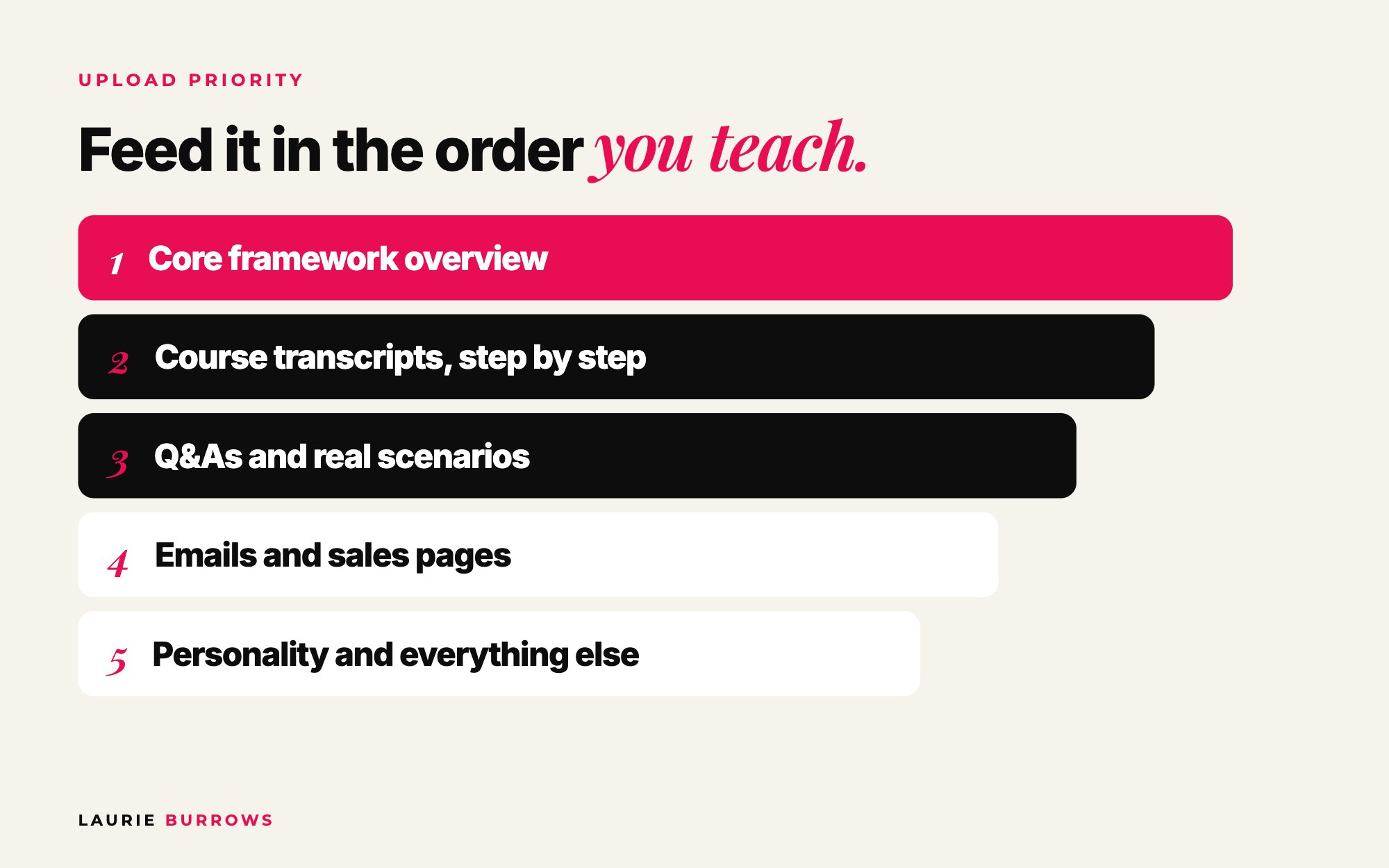
- Your core framework as an overview, your A to B Method: the stepping stones you take clients through.
- Course transcripts for each stepping stone, in order.
- Real scenarios: Q and As, top 20 questions and coaching calls.
- Emails and sales pages, if your clients will use it for those.
- Everything else that shows your personality.
Copy and paste: context note for each theme
I'm now giving you my training on [step / theme]. This is step [number] of my method.
Use it when someone asks about [topics]. If someone isn't clear on [the previous step], help them with that first.
The key framework here is [name]. Refer to it by name.
Feeding it in order is what lets your AI behave like you. When someone asks mine for a plan to hit a big revenue goal, it first checks they're clear on their ideal client and offer, because that's what I'd do.
On a custom GPT you're limited to 20 files, so you'd merge each theme folder into one document. On your own platform there's no limit. More on that in why you shouldn't build your business on a custom GPT.
Time: 15 to 30 minutes per theme. Done when: every theme is uploaded with its context note.
Step 6: Test after every theme
Don't wait until the end. After each theme, ask two or three questions a client would ask about it, and check: does it sound like me, is the advice right, is it specific, does it use my frameworks by name? If not, paste the answer back, say what's wrong and what you'd say instead. Then keep feeding it. New framework, new training, something changed in your industry? Transcribe it and add it.
Worked example: a course creator's knowledge base
Example (illustrative): a nutrition coach with a six module course (about five videos per module), a year of fortnightly live Q and As and two named frameworks.
| Source | Documents | When |
|---|---|---|
| Course videos (6 modules x 5) | 30 transcripts | Evenings, week 1 |
| Live Q and As (fortnightly for a year) | 26 transcripts | Evenings, week 2 |
| Framework recordings | 2 | One afternoon |
| Top 20 questions | 20 | Same afternoon, about an hour |
| Total | 78 labelled documents across 8 folders | About two weeks of evenings |
On a custom GPT, those 78 documents become one merged document per folder, so it fits the 20 file cap. On her own platform she uploads all 78 individually, by theme, with a context note per theme. Same raw material, two weeks of evenings, and an AI that answers like she does.
Benchmarks
- Custom GPT limit: 20 knowledge files. Your own platform: no limit.
- Top questions: 20, recorded in your own voice.
- Frameworks: one recording each, covering what, why, steps, mistakes, when and an example.
- Testing: two or three client questions after every theme, not just at the end.
- Ongoing: every new training recorded and filed the same week.
Common mistakes (and the fix)
- One giant folder. Fix: themes in teaching order, with sub folders.
- Only written documents. Your AI ends up sounding like a textbook. Fix: transcripts of you speaking.
- No context. Fix: a context note per theme and a title, category and source on every file.
- Client details left in. Fix: permission first, the client call note, and strip personal details in clean up.
- Testing only at the end. Fix: test after every theme so you know which one caused the problem.
Your action plan
- Today: Create your AI Knowledge folder structure and write your top 20 client questions.
- This week: Transcribe one full course or programme, record your frameworks and your top 20 answers, and clean them with the prompt above.
- Next 30 days: Transcribe everything else, feed your AI one theme at a time with context notes, test after each theme, and hit record on every training, call and voice note from now on.
And your transcripts are worth far more than one AI. I turn them into checklists, free guides and content every week, and my blog comes from them too. See 30 pieces of content in 30 minutes with AI, and for the full build, the ultimate guide to building a custom AI for your business. If content is the goal, The Claude Content Engine shows you how to set Claude up with this kind of knowledge so it writes like you.
If you want that content made for you without the prompting, the Content Creator inside Ascendia OS plans your month, writes posts in your voice and schedules them straight to Instagram, Facebook, LinkedIn and more, and the Email Marketer turns your ideas into nurture emails and broadcasts.
Want Claude to turn your transcripts into content that sounds like you?
The Claude Content Engine sets Claude up to sound like you, then gives you the prompts for carousels, reels and captions and a monthly content sprint. Not ready? Start with the free 30 Claude Content Prompts on my free resources page.
Rather have it done for you?
Turn what you know into a month of content
The Content Creator plans your month, writes posts in your voice and schedules them for you, and the Email Marketer writes your nurture emails and broadcasts. You approve the work and get back to what you love. 14 days free, no tech skills needed.
Frequently asked questions
Can I upload videos straight into my custom AI?
No. AI builders need readable content: transcripts, PDFs, Word documents and text files. Upload your videos to Otter first, then use the transcripts.
How many transcripts do I need to train a custom AI?
It depends on what you're building. A small AI that does one job needs the training on that one topic. A full AI version of you needs everything you teach, plus your frameworks and top 20 questions. The more you give it, the more it sounds like you.
Is it OK to use client call recordings to train my AI?
Only with the client's permission. Explain it's to show the AI how you answer questions, tell the AI not to use anything the client shared, and strip personal details when you clean the transcript.
What if I don't have much recorded content yet?
Record it now. Talk through your frameworks and your top 20 client questions in Otter, as if you're talking to a client. A few focused hours gives you plenty to start with.
How should I organise transcripts for my AI?
By theme, in the order you take clients through your method, with sub folders for specific topics and a title, category and source on every file. That makes it easy to feed your AI in order, and to build smaller topic specific AIs later.
Laurie Burrows is a UK-based marketing and sales strategist who has built a business that's generated multi-seven figures in sales through social media and digital marketing. Today, Laurie helps business owners use social media, content and digital marketing to get seen, attract more clients and make more sales. She's also the founder of Ascendia OS.
Do you want to scale your business to 10K months in the next 90 days? I am looking for 10 people for my new case study program. DM me the word CASE STUDY on Instagram (@_laurieburrows) to learn more.