Kickoff Parties and Community: How to Get People to Show Up
Short answer: to get people to show up to your challenge, give them a community to join the moment they sign up, open it with a live kickoff party before day one, and reward engagement with prizes. Send reminders by email and WhatsApp 24 hours and one hour before key moments. A busy community re-engages the people who signed up and forgot, and when people start buying, it creates a snowball where others want to join too.
You've filled your challenge. Hundreds of people signed up. Then day one arrives and 10 to 15% of them turn up.
It's one of the most common launch problems I see, and it matters more than people think. Your challenge is where trust gets built. If they're not there, you can't build it, and they won't buy. On one of my own masterclass launches, around 25% of the people who watched live bought, compared with around 2.5% of everyone who signed up. Getting people to show up isn't a nice to have. It's where the sales are.
The two things that have made the biggest difference to show up in my launches are a proper community and a kickoff party. Below is exactly how I set both up, step by step, with the emails and posts to copy, the numbers to aim for and an action plan.
This is part of my ultimate guide to a 6 figure course launch, where show up is one of the biggest levers in the whole launch.
Why does a community matter so much in a launch?
I honestly don't think my launch sales would be anywhere near what they are without the community. Here's what it does:
- It re-engages people who forgot. People sign up with good intentions and get busy. When they see other people posting "day three and my mind is blown", they want to know what they're missing and they come back.
- It builds trust for you. Every win someone posts is social proof that your method works. It's a testimonial, live, in front of everyone else who's deciding.
- It creates accountability. Members hold each other accountable, which means more people actually take the action steps and get results.
- It sells for you. When one person joins your paid offer and celebrates, others want to stay part of that group and follow. I call it peer selling.
- It helps the algorithm. The more people engage in a Facebook group, the more Facebook shows the posts to other members.
Do you have to have a Facebook group? No. Use the community you already have, whether that's a Facebook group, a LinkedIn group or something else. Facebook groups are hard work to grow long term, but during a launch they're brilliant. And the community doesn't have to be run by you. A co-coach or a VA can look after it.
Step 1: Set up the community before you promote
Create the group, name it after the challenge's end result, write a pinned welcome post and set the cover image. Keep it closed until the kickoff party so opening it feels like an event.
Copy and paste: pinned welcome post
Welcome to [challenge name]! I'm so glad you're here.
Here's how this works: every day at [time] a short training (around 20 minutes) goes live, with one action step. Post your action step here and I'll give you feedback.
Start now: comment below with your name, what you do and the one thing you want from this week.
Prizes: [most engaged], [most committed], [sharing prize]. Details in the kickoff party live.
Time: 1 hour. Done when: the group exists, the welcome post is pinned and someone else could run it if you needed them to.
Step 2: Make joining the community the first thing they do
Make it the very first thing they do. On your thank you page, step one is "join the community". The first email they get says join the community. The first WhatsApp message says join the community. Whatever you put first is what people do first.
Then step two is add the dates to their calendar, and step three is your VIP upgrade.
Copy and paste: thank you page and first WhatsApp
Step 1: Join the community. This is where everything happens: the trainings, the prizes and me answering your questions. [Join here]
Step 2: Add the dates to your calendar. [Add all five days in one click]
Step 3: Want more? Upgrade to VIP for [what VIP gets]. [Upgrade]
WhatsApp: "You're in! First thing: join the community here [link]. The doors open on [day] with a kickoff party live."
Time: 30 minutes. Done when: your thank you page, first email and first WhatsApp all lead with "join the community".
Step 3: Run a kickoff party before day one
A kickoff party (or pre party) is a short live you do in the community a day or two before day one. Its job is to get everyone excited, set expectations and get people engaging before you've taught a single thing.
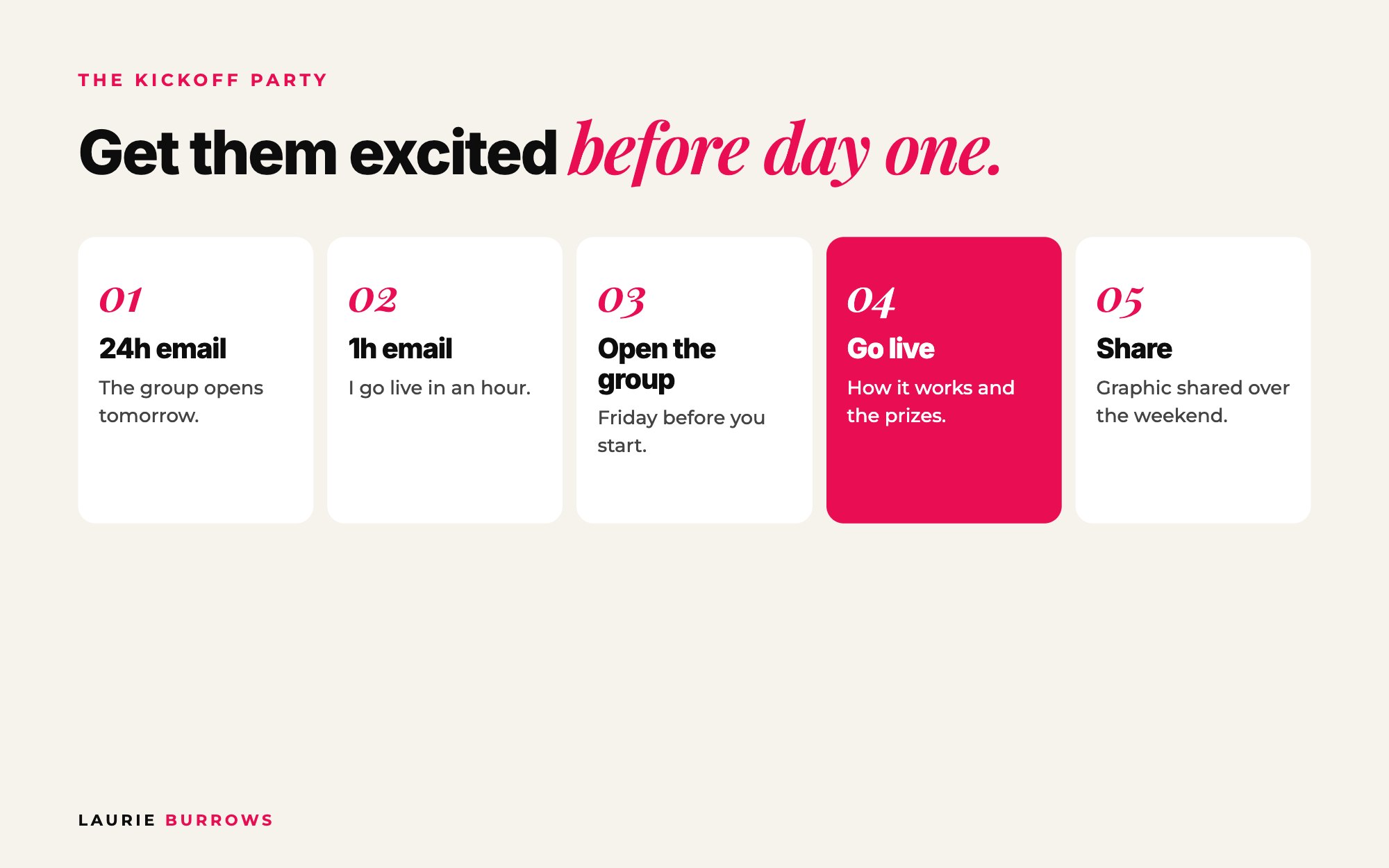
How to run one
- 24 hours before: email everyone that the group opens tomorrow. Mention the prizes.
- One hour before: email again. "The group is open and I'm going live in an hour." This gets people in, introducing themselves and engaging straight away.
- Open the group. I like to do this on the Friday before a Monday or Tuesday start.
- Go live within about an hour. Welcome everyone, share a bit of your story so people know why you're the person to learn from, explain exactly how the days will work and what they'll learn, and explain the prizes.
- Ask them to share. Encourage people to share your challenge graphic and tag you over the weekend. That gets you in front of their audiences and brings in more sign-ups before day one.
It's one live, maybe 20 to 30 minutes, and it sets the energy for the whole launch.
Copy and paste: kickoff party emails
24 hours before, subject: The doors open tomorrow (and there are prizes)
Hey [name], tomorrow at [time] I'm opening the [challenge name] community and going live for our kickoff party. I'll walk you through exactly how the week works, what you'll walk away with, and the prizes up for grabs. Save the time.
One hour before, subject: We're open, I'm live in an hour
The group is open. Pop in, introduce yourself and tell us the one thing you want from this week. I'm going live at [time]. [Join the group]
If writing and scheduling every kickoff and reminder email is the bit that slips, the Email Marketer inside Ascendia OS writes your broadcasts and follow up in your voice and sends them on schedule, so the only thing you have to do is turn up for the live.
Time: Two emails plus a 20 to 30 minute live. Done when: people are introducing themselves before you've taught anything, and you've asked them to share the graphic.
Step 4: Add prizes that reward showing up
Prizes add a bit of gamification, and gamification gets people engaging, showing up and taking action. You don't need anything huge. Ideas that work:
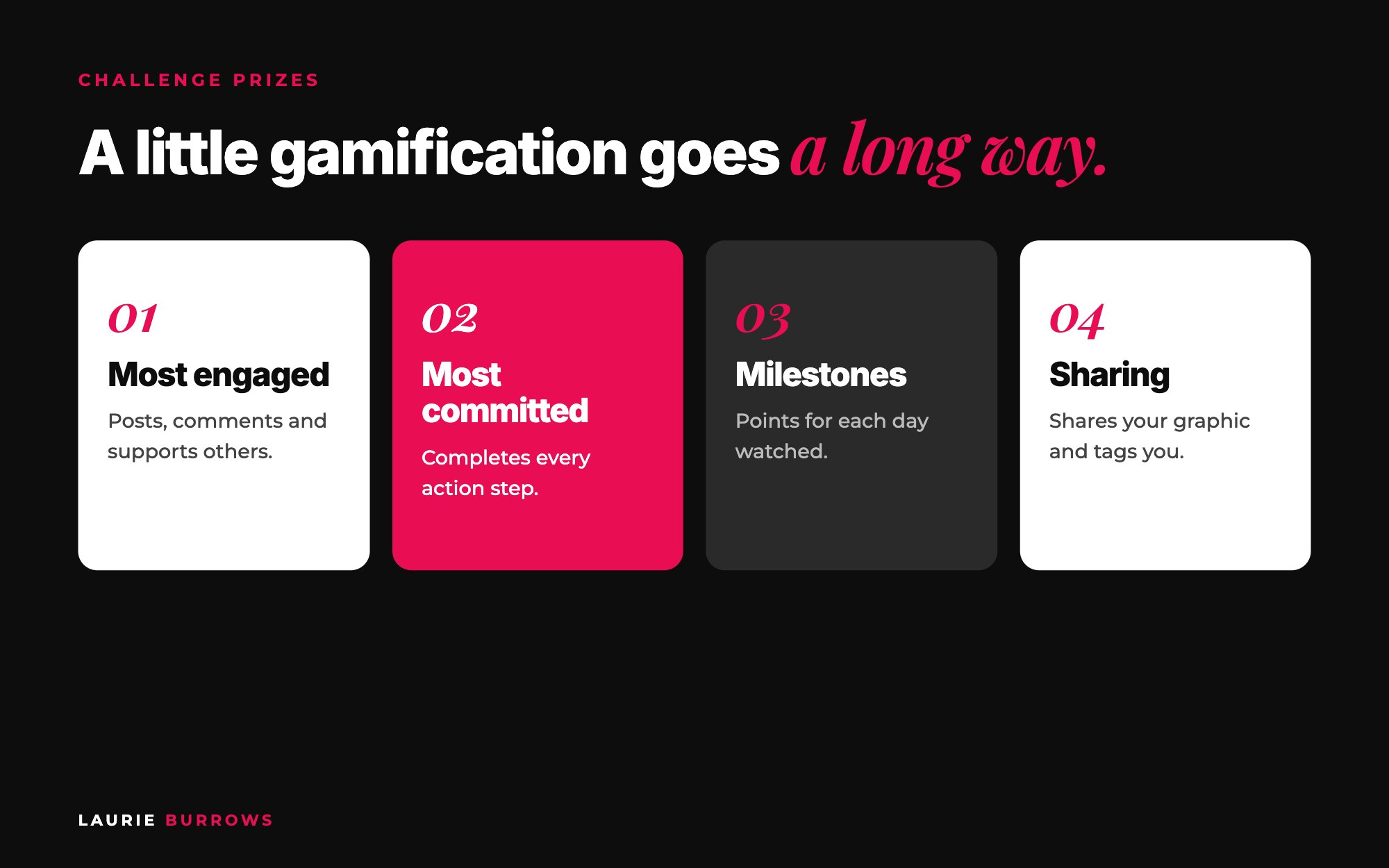
- Most engaged: for the person who posts, comments and supports others the most.
- Most committed: for completing every action step.
- Milestone prizes: something for watching each day, or completing a set of action steps. A simple points system works well.
- Sharing prizes: for sharing your graphic, reel or post and tagging you.
The best prizes are linked to what you sell: a bonus session, a resource, a call with you. That way your winners get a taste of the paid experience too.
Time: 20 minutes. Done when: you have three prizes, each linked to a behaviour you want (posting, completing, sharing), and a simple way to track points.
Step 5: Keep people showing up every day
Every challenge has drop off. Day one might be 25%, day two 20%, day three 15%. These keep more people with you:
- Short sessions. Around 20 minutes. Busy people finish short sessions. More in why 20 minute trainings sell better.
- Reminders on more than one channel. Email, the community and WhatsApp. I'm more likely to open a WhatsApp than an email, and so are your leads.
- Action steps to post. Ask people to post their action step in the group each day. It keeps them involved and fills the feed with wins.
- Celebrate people publicly. Shout out great action steps and wins. People show up when they feel seen.
- Tell them why day three matters. I tell everyone from the start that day three is where it all comes together.
- Be there yourself. Even with a pre-recorded challenge, be in the community. I once ran the same launch while I was away for my birthday and less present. The conversion rate dropped. The only thing that changed was me.
Time: 20 to 30 minutes in the group each day, plus scheduled reminders. Done when: every action step post has a reply from you and a reminder goes out on every channel each day.
Step 6: Keep the buzz going, live or pre-recorded
These days my challenges are pre-recorded, but they still have a set start date, so everyone goes through it together. That's how you get the energy of a live launch without being live every day. The community and the kickoff party are what create that shared experience.
And when it's over, the community keeps working. People who loved it will help you promote the encore or the next round. For the full launch plan, read how to run a 5 day challenge that sells, and for the numbers behind show up, why live attendees buy 10 times more.
Worked example: what better show up is worth
Example (illustrative): 400 people sign up for a challenge selling a $997 offer.
- Without a community or kickoff party: 12% show up on day one (48 people), fewer by day three. If around a quarter of the people still watching on pitch day buy, and that's 32 people, that's 8 sales, or around $8,000.
- With a community, kickoff party, prizes and WhatsApp reminders: if show up rises to 25% on day one (100 people) and 60 are still there on day three, a quarter of those is 15 sales, or around $15,000.
Same sign-ups, same offer, nearly double the sales. That's why I treat show up as a sales number, not an engagement number.
Show up benchmarks
| Number | What to aim for |
|---|---|
| Typical live show up | 10 to 15% of sign-ups; 25% day one, 20% day two, 15% day three is common |
| Live attendees who buy | Around 25%, vs around 2.5% of all sign-ups |
| Kickoff party | 20 to 30 minutes, a day or two before day one |
| Reminder emails | 24 hours and one hour before key moments |
| Session length | Around 20 minutes |
Common mistakes
- Mistake: Burying the community link on the thank you page. Fix: Make it step one everywhere.
- Mistake: Opening the group with no live. Fix: Go live within an hour of opening it.
- Mistake: Prizes that have nothing to do with your offer. Fix: Give a bonus session, resource or call that tastes like the paid experience.
- Mistake: Email only reminders. Fix: Email, community and WhatsApp.
- Mistake: Leaving a pre-recorded challenge to run itself. Fix: Be in the group every day.
Your action plan
Today
- Create your community and pin the welcome post.
- Rewrite your thank you page so step one is join the community.
This week
- Write the 24 hour and one hour kickoff emails.
- Choose three prizes and how you'll track points.
- Schedule WhatsApp and email reminders for every day.
Launch week
- Open the group on the Friday and go live within an hour.
- Reply to every action step post.
- Record your show up for each day so you can compare next time.
- Read the ultimate guide to a 6 figure course launch for the full launch calendar.
Getting people in the room is half of it. The other half is what you say when they're there. The 5-Figure Webinar Formula gives you my 10-step framework and pitch script for $27.
Want the pitch ready for when they show up?
The 5-Figure Webinar Formula is my 10-step webinar framework for $27, with the slide deck template, the pitch script and the objection handling slides, so you can build an event that sells without starting from a blank page.
Rather have it done for you?
Let Ascendia OS handle the reminders while you host the party
The Email Marketer writes your kickoff and reminder emails, the Launch Manager plans the launch around them, and your community, calendars and emails all live in one login. 14 days free, no tech skills needed.
Frequently asked questions
What is a good show up rate for a challenge?
Many challenges see 10 to 15% show up live, with the numbers dropping each day. A community, a kickoff party, short sessions and multi-channel reminders all push that higher.
When should I open my challenge Facebook group?
A day or two before day one, with a kickoff party live within an hour of opening. Send a reminder email 24 hours before and one hour before.
What should I say in a challenge kickoff party?
Welcome people, share why you're the right person to learn from, explain how the challenge works and what they'll get from it, explain the prizes and ask them to share your graphic.
Do challenge prizes really make a difference?
Yes. Prizes for engagement and completing action steps encourage people to post, show up and take action, and more engagement means more people seeing those posts and coming back.
Do I need a community if my challenge is pre-recorded?
Yes. A community with a set start date gives you the buzz of a live launch without being live. It's where people share wins, hold each other accountable and encourage each other to buy.
Laurie Burrows is a UK-based marketing and sales strategist who has built a business that's generated multi-seven figures in sales through social media and digital marketing. Today, Laurie helps business owners use social media, content and digital marketing to get seen, attract more clients and make more sales. She's also the founder of Ascendia OS.
Do you want to scale your business to 10K months in the next 90 days? I am looking for 10 people for my new case study program. DM me the word CASE STUDY on Instagram (@_laurieburrows) to learn more.