A Simple Lead Tracker in Trello
Short answer: to build a simple lead tracker in Trello, create a board with one list (column) for each stage of your sales process, for example Leads, Contacted, Replied, Call link sent, Call scheduled, Won, Follow up and Lost. Add a card for each lead with the date they became a lead and notes on their goal and struggle, update the date every time you speak, and move cards along as conversations progress. Check it once a day, nudge anyone who's gone quiet, and never delete a lost lead: set a reminder to follow up next month. Setup takes about 20 minutes.
So many founders are leaving money on the table simply because they're not keeping track of their leads. Someone comments on a post, you reply, they say "sounds great, I'll have a look", and then... nothing. Not because they weren't interested, but because nobody followed up.
When I started my business in 2020, I didn't have a fancy CRM. I had a Trello board. And it's honestly one of the reasons I made the sales I did in my first year. Here's how to set one up, step by step, plus the daily routine and the exact messages to send at each stage.
This is part of my ultimate guide to lead generation for coaches. Generating leads is half the job. Keeping track of them is where the sales actually happen.
Why track your leads at all?
A lead is anyone who shows interest in something you have to offer: commenting on a post, voting on a poll, signing up to a freebie, asking for an audit. Someone asking about your paid offer is a hot lead.
As you generate more leads, they'll all be at different stages. Some you've just met, some are mid conversation, some are about to book a call, some said "not now". If it's all in your head (or scattered across your DMs), people slip through the cracks. A tracker means you always know exactly who to talk to next, whether they buy now or later on.
How to set up your Trello lead tracker, step by step
Step 1: Map your sales process on paper
Your sales process is the stepping stones you take to turn a lead into a client. Write yours down before you open Trello, because your lists will follow it exactly. When I offered free social media audits, mine looked like this:
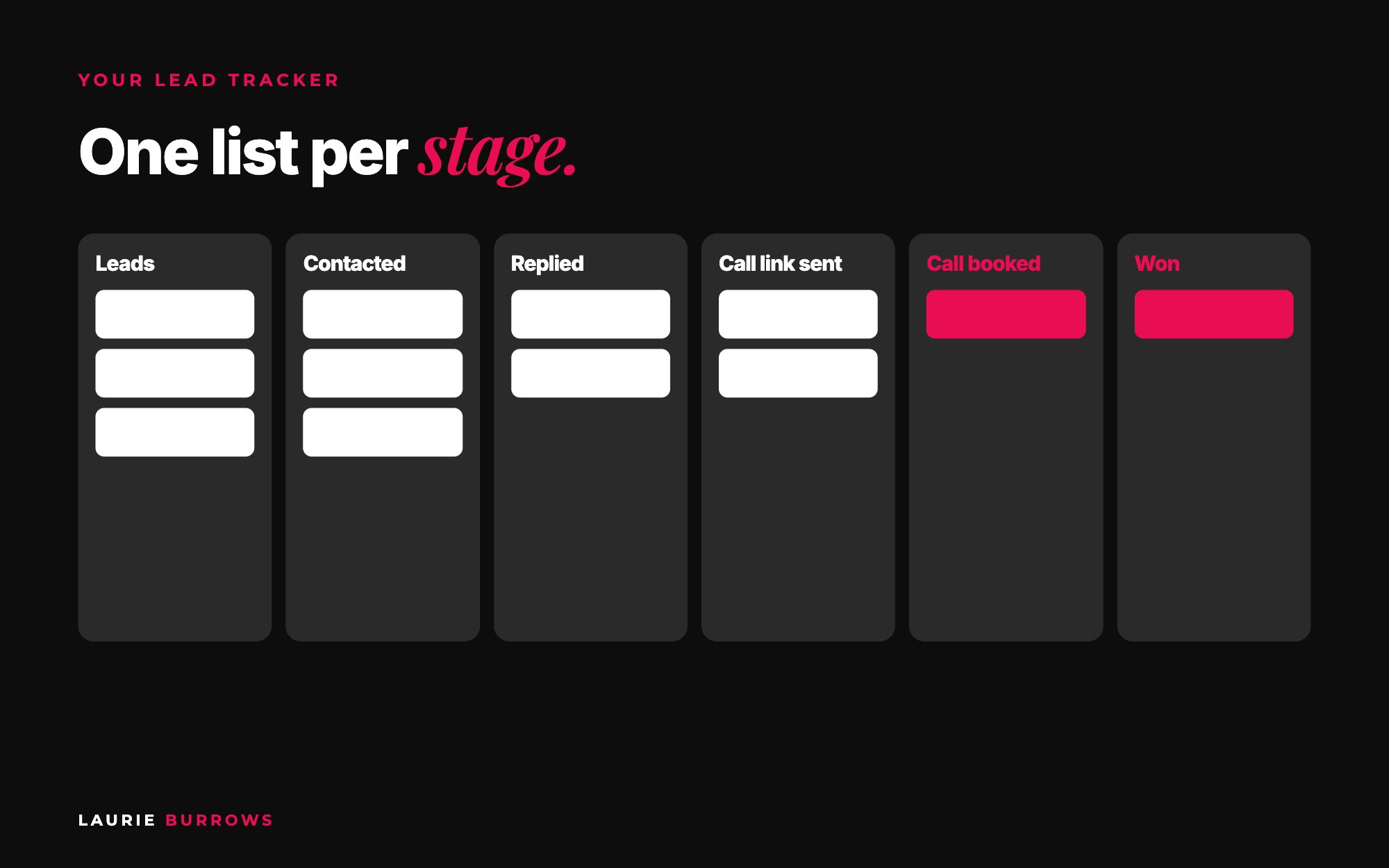
- Leads: everyone who commented asking for an audit.
- Contacted: I've messaged them.
- Replied: we're in an active conversation.
- Call link sent: I've sent them a link to book.
- Call scheduled: it's in the diary.
- Won, Follow up or Lost: the outcome.
You don't have to do calls. Your process might be a quick video or a voice note instead. The lists just need to match what you actually do.
Time: 10 minutes. Done when: you have 5 to 8 stages written in order.
Step 2: Create the board and one list per stage
Create a new Trello board called "Leads" (or one per sales process, like "Audit leads" and "Freebie leads"). In Trello, each column is a list and each lead is a card. Make a list for every stage. You can drag cards from list to list as the conversation moves on, which is exactly why Trello works so well for this.
Time: 5 minutes. Done when: your board has a list for every stage, left to right.
Step 3: Add a card for every lead
Each card gets the person's name and the date they became a lead. In the description, add notes: what they're struggling with, what their goal is, what they asked. These notes are what make your pitch personal later.
Time: 1 minute per lead. Done when: everyone who has shown interest in the last two weeks has a card.
Step 4: Update the date every time you speak
Every time you contact someone, change the date on their card (the due date works well) and add a line to the description about what was said. That's what lets you see at a glance who you haven't spoken to in a while.
Time: seconds per update. Done when: every card shows the date of your last contact.
Step 5: Check it once a day
The board is only useful if you look at it. Once a day, open it and ask:
- Who have I contacted who hasn't replied in a couple of days? Send a little nudge.
- Who have I sent a call link to who hasn't booked? Follow up.
- Who's in Follow up? Check in.
Time: 10 to 15 minutes a day. Done when: no card in Contacted or Call link sent is more than two or three days old without a nudge.
Step 6: Never delete your lost leads
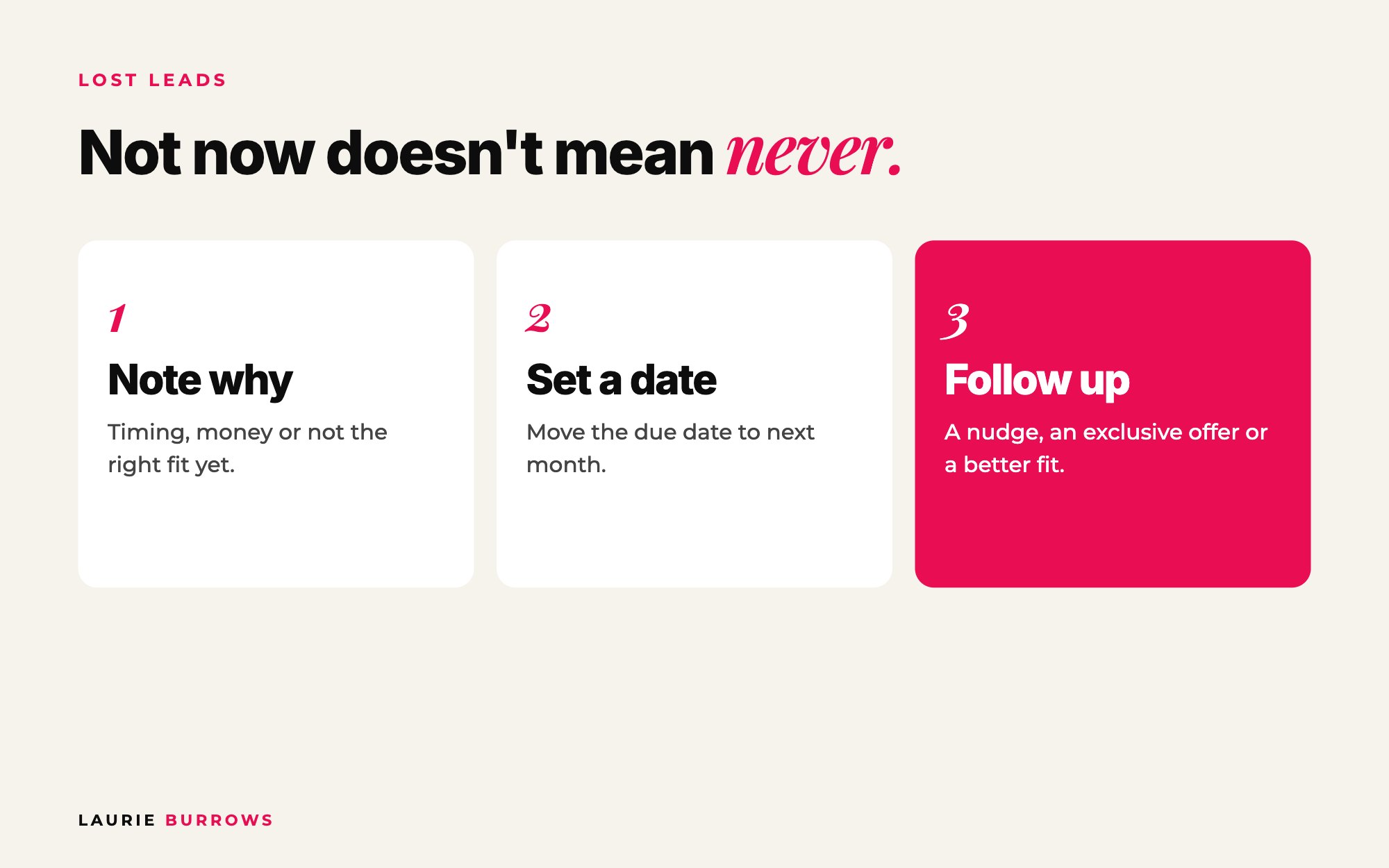
This is the bit most people get wrong. A lead who doesn't buy now isn't a dead lead. They might be ready next month, next quarter or next year. When someone says no, move them to Lost, add a note about why (timing, money, not the right fit yet), and set the due date to a month's time. Then follow up. They might just need a nudge, or you could send them an exclusive offer or a different option that suits them better. Not now doesn't mean never.
Time: 2 minutes per lost lead. Done when: every Lost card has a reason and a follow up date.
A second board for freebie leads
You can create a different board for each sales process. Our freebie process looks like this, and the lists follow it:
- Someone opts in (we ask for their Instagram handle on the opt-in page).
- We check their profile to see if they're an ideal client.
- If they are, we engage with a few of their posts, something from a month ago, a few weeks ago and recently, so we pop up in their notifications.
- We message them to start a conversation.
- After the freebie, we follow up: what was your biggest takeaway, and have you thought about joining?
They'll say yes (send the link), yes but (now you know the objection and can help, maybe with a payment plan) or no (that's fine, give them another free resource so you stay front of mind). The objections are brilliant market research for your content and sales page too.
If thousands of people sign up, you won't track every single one, and that's okay. Track the people who reply and engage. They're your warmest leads.
Trello is perfect when you're starting out. When you outgrow it, Ascendia OS has a CRM and pipeline built in, so your leads, your pages and your emails live in one place instead of five. And on Pro, the Appointment Setter replies to DMs, texts and website chats 24/7 and books calls, so a warm lead never sits waiting while you're busy.
Worked example: one week of audit leads
Example only, to show how the board fills up. A coach posts a free audit offer on Monday and gets 15 comments.
| List | Monday | Wednesday | Friday | Next Monday |
|---|---|---|---|---|
| Leads | 15 | 3 | 0 | 0 |
| Contacted | 0 | 8 | 3 | 1 |
| Replied | 0 | 4 | 6 | 3 |
| Call link sent | 0 | 0 | 3 | 2 |
| Call scheduled | 0 | 0 | 2 | 3 |
| Won / Follow up / Lost | 0 | 0 | 1 / 0 / 0 | 2 / 2 / 2 |
On Friday her daily check shows three people in Contacted with no reply for two days, so she sends a nudge. By next Monday, two people have had a call link since Friday without booking, so she follows up, and the two Lost cards get a note and a date four weeks away. Without the board, at least four of those people would have quietly disappeared.
Copy and paste: the message for every stage
Copy and paste: first contact
Hey [name], you commented on my post about [audit or freebie]. Tell me a little bit about what you're struggling with at the moment, and where you want to be?
Copy and paste: nudge after 2 days of silence
Hey [name], just bumping this up in case it got buried! Would love to hear what you're working on at the moment.
Copy and paste: call link follow up
Hey [name], did you get a chance to look at the link? Here it is again: [link]. If none of the times work, tell me what does and I'll make it happen.
Copy and paste: freebie follow up
Hey [name], how did you find [freebie]? What was your biggest takeaway? And have you thought about [next step offer]? It's the full version of what you just tried.
Copy and paste: lost lead, one month later
Hey [name], I was thinking about you. Last month you mentioned [their reason, e.g. timing]. How are things now? I've got [new option, payment plan or exclusive offer] if it would help.
Benchmarks
- About 20 minutes to set up the board.
- Once a day: check the board.
- Two or three days of silence before a nudge.
- One month: when to follow up with lost leads.
- Every day: do one thing to generate leads so the board keeps filling.
Common mistakes
- Mistake: Building lists that don't match what you actually do. Fix: map your sales process on paper first.
- Mistake: No notes on cards. Fix: write their goal and struggle so your pitch is personal.
- Mistake: Setting it up and never opening it. Fix: put a daily 10 minute check in your diary.
- Mistake: Deleting people who said no. Fix: move them to Lost with a reason and a date next month.
- Mistake: Trying to track thousands of freebie sign-ups. Fix: track the ones who reply and engage.
Your action plan
Today
- Write your sales process stages on paper.
- Create the Trello board with one list per stage.
- Add everyone who has shown interest in the last two weeks.
- Message the three who have been quiet the longest.
This week
- Check the board every day and send your nudges.
- Do one lead generating activity every day (a poll, a freebie post, a free audit offer).
- Move every no into Lost with a reason and a date.
Next 30 days
- Follow up with every Lost card when its date comes round.
- Add a second board if you have a second sales process.
- Review where most cards get stuck and fix that stage.
A tracker is only useful if leads are coming in. Every day, ask yourself two questions: what is one thing I can do today to generate more leads, and what is one thing I can do today to generate more sales? If you need leads this week, start with the free audit strategy. When you outgrow Trello, move to a CRM (Ascendia OS has lead tracking built in). But don't wait for the perfect tool. Start with the board.
Want the full sales process, not just the tracker?
Content To Clients® is my complete system for turning content and leads into repeat sales: the free resources, the DM conversations, the follow up and every template I use. If you'd rather start free, grab the Revenue Leak Audit.
Prefer a free first step? The Revenue Leak Audit shows you 12 places your business is quietly losing money, and untracked leads are one of the biggest. For the bigger picture, read the ultimate guide to lead generation for coaches.
Rather have it done for you?
Let Ascendia OS keep every lead moving
Your CRM and pipeline are built in, the Email Marketer writes the follow up emails, and on Pro the Appointment Setter replies to DMs and books calls around the clock. 14 days free, no tech skills needed.
Frequently asked questions
Is Trello good for tracking leads?
Yes, if you're not ready for a CRM. Lists for each sales stage and cards for each lead make it easy to see where everyone is and move them along. When your volume grows, a CRM will save you time.
What lists should a lead tracker have?
One for each step of your sales process. A common setup is Leads, Contacted, Replied, Call link sent, Call scheduled, Won, Follow up and Lost. Change them to match how you actually sell.
How often should I check my lead tracker?
Once a day. Look for anyone who hasn't replied in a couple of days, anyone who hasn't booked after getting a link, and anyone due a follow up.
What should I do with leads who say no?
Keep them. Move them to Lost, note why, and set a follow up for next month. Not now doesn't mean never.
Do I need to track every freebie sign-up?
No. If lots of people sign up, track the ones who reply and engage. They're your warmest leads.
Laurie Burrows is a UK-based marketing and sales strategist who has built a business that's generated multi-seven figures in sales through social media and digital marketing. Today, Laurie helps business owners use social media, content and digital marketing to get seen, attract more clients and make more sales. She's also the founder of Ascendia OS.
Do you want to scale your business to 10K months in the next 90 days? I am looking for 10 people for my new case study program. DM me the word CASE STUDY on Instagram (@_laurieburrows) to learn more.