How to Write an Opt-In Page That Converts
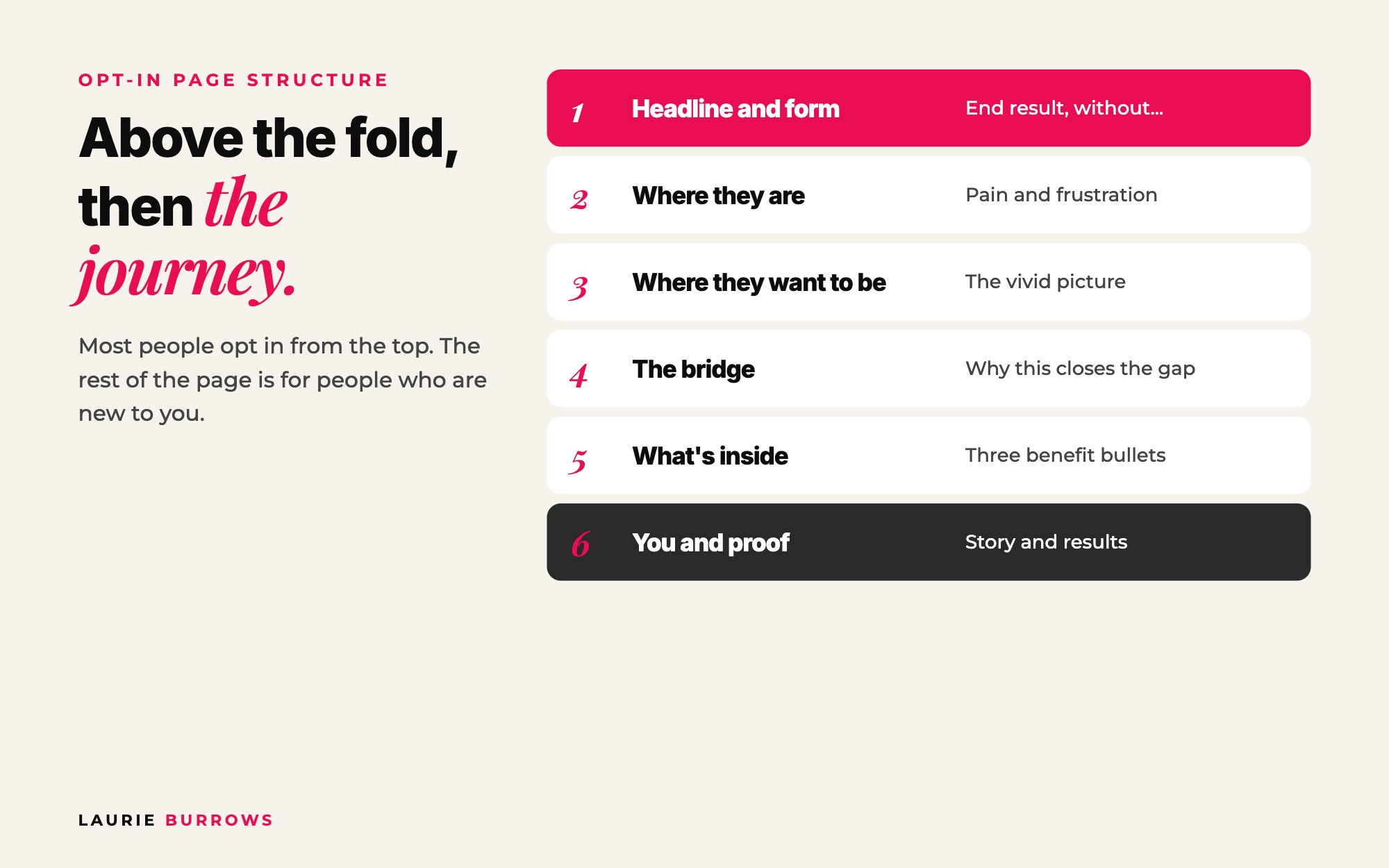
Short answer: an opt-in page that converts leads with a clear, benefit led headline about the end result your ideal client wants, a sub headline that explains what they'll get and how fast, and the opt-in form right there above the fold. Below that, take people on a short journey: where they are now, where they want to be, how your free resource bridges the gap, what's inside, who you are, and proof. One call to action, no menu, nothing that pulls people off the page. Aim for 40% or more of visitors to opt in.
Your opt-in page is very likely someone's first impression of you. Especially if you're running ads, the person landing on it may never have heard of you before. They'll decide in seconds whether to give you their email or click away.
I've tested a lot of opt-in pages over the years, and the structure below is the one I now use for every free training, guide and challenge. Follow the steps, fill in the template, and you'll have a page ready to test by the end of today.
This is part of my ultimate guide to evergreen funnels. The opt-in page is the front door of that whole system, so it's worth getting right.
How to write your opt-in page, step by step
Step 1: Write the headline (the most important line on the page)
Most people decide based on the headline alone. Many read the headline and sub headline and opt straight in without scrolling. Your headline should:
- Speak to the end result your ideal client wants, not the tool you're giving them and not the problem.
- Be clear, bold and benefit led. They should read it and think "yes, I want that".
- Remove something they don't want to do. Adding "without..." makes it even more enticing.
Example: Double your client enquiries in seven days, without paid ads or hustle.
Then go one level deeper by asking "so you can what?". Someone who wants confidence usually wants it so they can speak on stage, which they want so they can grow their business. The end result of the end result is usually far more compelling. Talking to the result also matters because not everyone knows what their problem is, but everyone recognises the result they want.
Time: 20 minutes. Write five versions and pick the strongest. Done when: your headline names an end result, has a 'without' line and passes the 'so you can what?' test.
Step 2: Write the sub headline and button
The sub headline explains what they're getting and the quick payoff. Example: Grab this free step by step workbook to turn your Instagram followers into paying clients, starting today. Then put the form right there. Use a big button with exciting text. "Subscribe" is flat. "Get instant access" or "I need this now" is much better.
This top part of the page, before anyone scrolls, is called above the fold, and it's where most of your conversions happen.
Time: 10 minutes. Done when: headline, sub headline and form all sit above the fold on a phone screen.
Step 3: Write "where they are now"
Below the fold is for people who want to know more first. Start with their pain so they think "that's me". Example: Right now you're posting content that gets crickets. Your DMs are dry. Your offers feel invisible.
Time: 10 minutes. Done when: two or three lines your ideal client would nod along to.
Step 4: Write "where they want to be"
Paint the picture with emotional, visual, specific language. Example: You want people asking to work with you. You want to wake up to new leads and sales notifications.
Time: 10 minutes. Done when: two or three lines describing a day after the result.
Step 5: Show how your free resource bridges the gap
Position it as the missing link. Example: This template gives you the exact framework I use to turn cold followers into warm leads, and warm leads into paying clients.
Time: 5 minutes. Done when: one or two sentences that connect the pain to the result.
Step 6: List what's inside
Three or so tangible, benefit led bullets, for example: the exact post formula that starts DM conversations; three no-pitch calls to action that attract ready buyers; my proven story sequence to build trust fast. If it's a guide, show an image of it.
Time: 10 minutes. Done when: three bullets, each starting with what they'll be able to do.
Step 7: Add who you are and proof
A short "meet your host" section with a story that relates back to what the free resource helps with, then testimonials or screenshots of results. You're showing you don't just talk the talk.
Time: 15 minutes. Done when: a three to four line bio and at least one piece of proof.
Step 8: Design it to convert
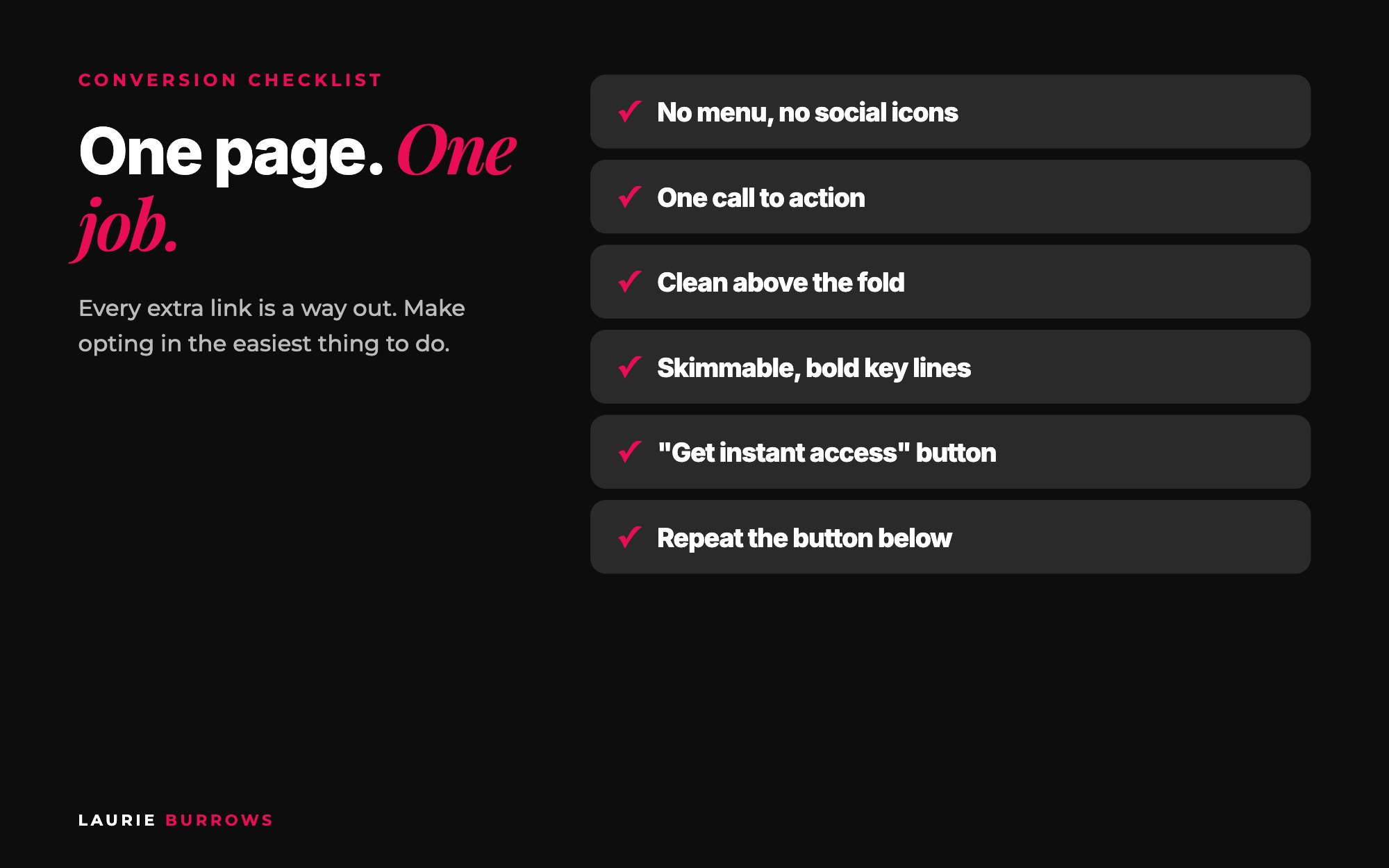
- Remove the menu and social icons. One page, one goal, one call to action.
- Keep above the fold clean: headline, sub headline, form. For ads, leave a photo of yourself out of that top section.
- Centre the form, or put it clearly to one side.
- Make it skimmable with different text sizes, bold key phrases and a highlight colour. Easy to read fonts only.
- Give each section its own background with plenty of white space.
- Test a lighter page. In our testing, lighter pages have converted better than dark ones for cold traffic.
- Repeat the button down the page.
- Ask name and email, plus one market research question or their Instagram handle if it's relevant. Not a mortgage application.
Time: 1 to 2 hours to build. Done when: you've opted in on your own phone and it took under 30 seconds.
If building pages is the bit you keep putting off, you don't have to do it by hand. The Funnel Builder inside Ascendia OS builds your opt-in page and thank you page in your account, ready to go live, and the Copywriter drafts the headline and sections in your voice for you to approve.
Copy-and-paste: opt-in page template
Copy and paste: opt-in page
HEADLINE: [End result] in [timeframe], without [thing they don't want to do]
SUB HEADLINE: Grab my free [format] and [quick payoff], starting today.
BUTTON: Get instant access
WHERE YOU ARE NOW: Right now you're [frustration 1]. [Frustration 2]. No matter how hard you try, [frustration 3].
WHERE YOU WANT TO BE: Imagine [specific picture of the result]. [How it feels].
THE BRIDGE: This free [format] gives you the exact [method] I use to [result].
INSIDE: The [thing] that [benefit]. / [Number] [things] that [benefit]. / My [framework] to [benefit].
MEET YOUR HOST: I'm [name]. [One line story linked to this result]. [One credibility line].
PROOF: [Testimonial or result screenshot]
BUTTON AGAIN: Yes, I want this
Worked example: why 40% matters
Example (illustrative numbers): a business coach sends 1,000 visitors a month to her opt-in page, and around 3% of leads go on to buy her $997 programme.
- At 20% opt-in rate: 200 leads, about 6 sales, roughly $6,000.
- At 40% opt-in rate: 400 leads, about 12 sales, roughly $12,000.
- Same traffic, same offer, same ad spend. The only change is a sharper headline and a cleaner page. If she's running ads, her cost per lead halves too.
Benchmarks
| What | Aim for |
|---|---|
| Opt-in page conversion | 40% or more of visitors |
| Above the fold | Headline, sub headline, form, nothing else |
| Calls to action | One, repeated down the page |
| Form fields | Name, email, plus one optional question |
| Next step | A thank you page offer bought by 8 to 10% of opt-ins |
Common mistakes (and the fix)
- A headline about the format ("Free PDF guide"). Fix: lead with the end result.
- Only naming a problem. Fix: talk to the result, because not everyone knows their problem.
- A menu and social icons. Fix: remove them. Every extra link is an exit.
- A busy top section. Fix: if people don't know where to look first, it's too busy.
- "Submit" buttons. Fix: button text that sounds like what they get.
- One long block of same-size text. Fix: short sections, bold phrases, different backgrounds.
Your action plan
- Day 1: Write five headlines and pick the strongest.
- Day 2: Fill in the template above for every section.
- Day 3: Build the page with no menu, one button repeated and a clean top section.
- Day 4: Test it on your phone and ask two ideal clients what they think it's offering.
- Day 5: Add a thank you page offer so new leads can buy straight away.
- Day 6 to 7: Send traffic and note your opt-in rate.
- Next 30 days: Test one change at a time (headline first) until you hit 40%.
What happens after they opt in?
The opt-in page is step one. Next comes your thank you page, one of the most visited pages in your business and the best place to make your first sale. Read the thank you page offer, and see where it all fits in the ultimate guide to evergreen funnels. If your page gets traffic but sales still aren't coming, use this funnel audit. And if you'd like every page template, email and step of my system in one place, that's Content To Clients®.
Want my opt-in, thank you page and email templates?
Content To Clients® is my full system for turning content into repeat sales, with the page templates, email sequences and daily routine I use myself. For coaches, consultants and online service providers who want their free resource to actually bring in clients.
Rather have it done for you?
Let Ascendia OS write and build your opt-in page
The Copywriter writes your headline, bullets and "meet your host" section in your voice, and the Funnel Builder turns it into a live opt-in page and thank you page on your own domain. 14 days free, no tech skills needed.
Frequently asked questions
What should an opt-in page headline say?
The end result your ideal client wants, stated clearly and boldly, ideally with a "without" line removing something they don't want to do. Focus on the outcome, not the format of your free resource.
What is a good opt-in page conversion rate?
Aim for 40% or more of visitors opting in. If you're well below that, start with the headline, then simplify the top section and remove anything people can click away to.
How long should an opt-in page be?
Long enough to answer the questions of someone who's new to you, but with the headline, sub headline and form at the top for everyone who's ready to opt in straight away. Most people won't scroll, and that's fine.
Should I put a photo of myself on my opt-in page?
Yes, in the "meet your host" section further down. For pages you send cold ad traffic to, keep it out of the top section so nothing distracts from the headline and form.
What button text converts best?
Something that sounds like what they get, not admin. "Get instant access" or "I need this now" usually beats "Subscribe" or "Submit".
Laurie Burrows is a UK-based marketing and sales strategist who has built a business that's generated multi-seven figures in sales through social media and digital marketing. Today, Laurie helps business owners use social media, content and digital marketing to get seen, attract more clients and make more sales. She's also the founder of Ascendia OS.
Do you want to scale your business to 10K months in the next 90 days? I am looking for 10 people for my new case study program. DM me the word CASE STUDY on Instagram (@_laurieburrows) to learn more.