How I Use Claude Projects to Run My Content
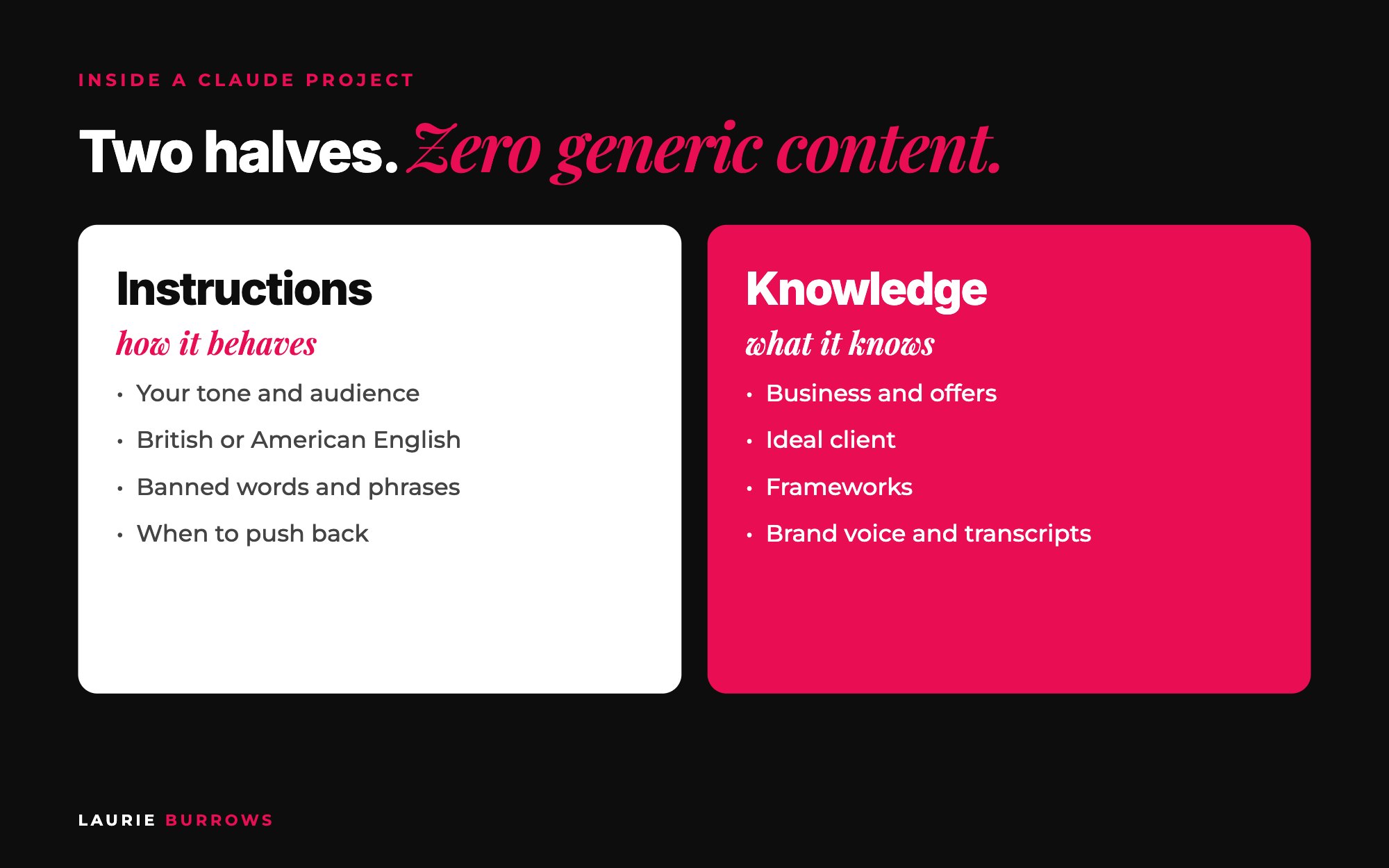
Short answer: I use Claude projects to run my content by giving each project two halves: instructions (standing orders for how Claude behaves and writes, applied to every chat) and knowledge (documents about my business, ideal client, offers, frameworks, brand voice and my transcripts). Then I keep separate chats inside the project for each job: ideas, posts, emails, campaigns and repurposing. Set it up once (about two hours, mostly talking into Otter) and every piece of content after that starts from everything Claude already knows about you, so it sounds like you, not like AI.
What you put into AI is what you get out. Put rubbish in and, unfortunately, you get rubbish out. That's why so much content online screams "AI wrote this". It's generic, it's got those typical AI language patterns, and it could have come from anyone.
Most people open a fresh chat, type "write me a post about X" and wonder why it sounds bland. The problem isn't the AI. It's that the AI knows nothing about them. A Claude project fixes that, and it's become the backbone of how I create content, plan campaigns and even build software. Here's the exact setup, with the prompts.
This is part of my ultimate guide to turning content into clients. Claude does the writing. The guide shows you what to write so your content actually brings in clients.
Step 1: Create the project
A Claude project is a workspace that remembers. Every chat inside it sees the same instructions and the same knowledge. Go to Projects in the left sidebar, click New Project, name it and describe what it's for, then click Create Project. You'll see a chat in the middle and, down the side, a place for instructions and a place for knowledge.
Copy and paste: project description
Content for [business name]. This project creates social posts, carousels, reel scripts, emails and campaign content for [ideal client], in my voice, to grow my audience and sell [main offer].
Time: 5 minutes. Done when: you have an empty project named for one area of your business.
Step 2: Build your knowledge documents (by talking, not typing)
Knowledge is what Claude actually knows. The more it knows about you, the better it creates. You need four core documents, plus anything extra you have:
- Business: what you do, your story, the results you're allowed to share.
- Ideal client: their problems, their words, what keeps them up at night.
- Offers: what each one is, who it's for, the end result, the price.
- Brand voice: around 20 questions about how you talk and how you want people to feel.
- Extras: one document per framework, and transcripts of your trainings and live calls so it can pull ideas and phrases from your real teaching.
I struggle to get words down on paper, so I don't type these. I open Otter and talk: "This is my ideal client." Talk. "This is my offer." Talk. Then I give each transcript to Claude to tidy up. Here are some of the brand voice questions to talk through:
Copy and paste: brand voice questions (talk these into Otter)
1. How do you want your audience to feel when they read your content?
2. Are you casual or formal? Direct or gentle?
3. Do you use humour? What kind?
4. Do you tell stories? Which ones come up again and again?
5. Which words and phrases do you use all the time?
6. Which words and phrases would you never use?
7. British or American English?
8. Which offers are you focusing on right now?
9. What do you believe that most people in your industry disagree with?
10. What should every post give the reader?
Copy and paste: turn a voice note into a knowledge document
Below is a transcript of me talking about my [ideal client / offer / brand voice]. Turn it into a clear knowledge document with headings.
Keep my words and phrases. Don't add anything I didn't say. If something important is missing, list questions for me at the end.
[Paste transcript]
Keep these documents in a Google Drive folder called "Claude knowledge". That's the real hack: once they exist, you can upload them to any project, any time.
Time: about an hour (15 minutes per document, mostly talking). Done when: four documents are uploaded to the project's knowledge.
Step 3: Write your instructions from a voice note
Instructions are standing orders. They apply to every conversation in the project. Most people leave this blank, then get generic answers. Brain dump into Otter what the project is for, how you want Claude to behave and what you hate seeing in AI content. Then, in a separate chat outside the project, use this:
Copy and paste: instructions writer prompt
I've created a Claude project for my content. Help me write the project instructions and make them as detailed as possible. Below is a voice note of everything I want.
Cover: who I am and who my content is for, my tone of voice, British English, banned words and phrases (including typical AI phrases), what a good post looks like for me, and when to push back on my ideas instead of agreeing with me.
[Paste transcript]
Mine says every post should give the reader something they can do, because if they act on it and get a result, it builds trust. And I want it to tell me when an idea is weak. I want people to read my content and think "hell yes, I need to work with her", and a yes man doesn't get you there.
Time: 20 minutes. Done when: the instructions box is filled and covers tone, banned words, what good looks like and when to push back.
Do this now: create a Google Drive folder called "Claude knowledge", record a five minute voice note for each of the four core documents and upload them to a new content project today.
Step 4: Set up one chat per job
Don't do everything in one long chat. Long chats get muddled. Keep separate chats inside the same project so they share the knowledge but stay tidy. When I was building Ascendia OS, I had one chat for design, one for the content lab, one for the AI and one for funnels. For content:
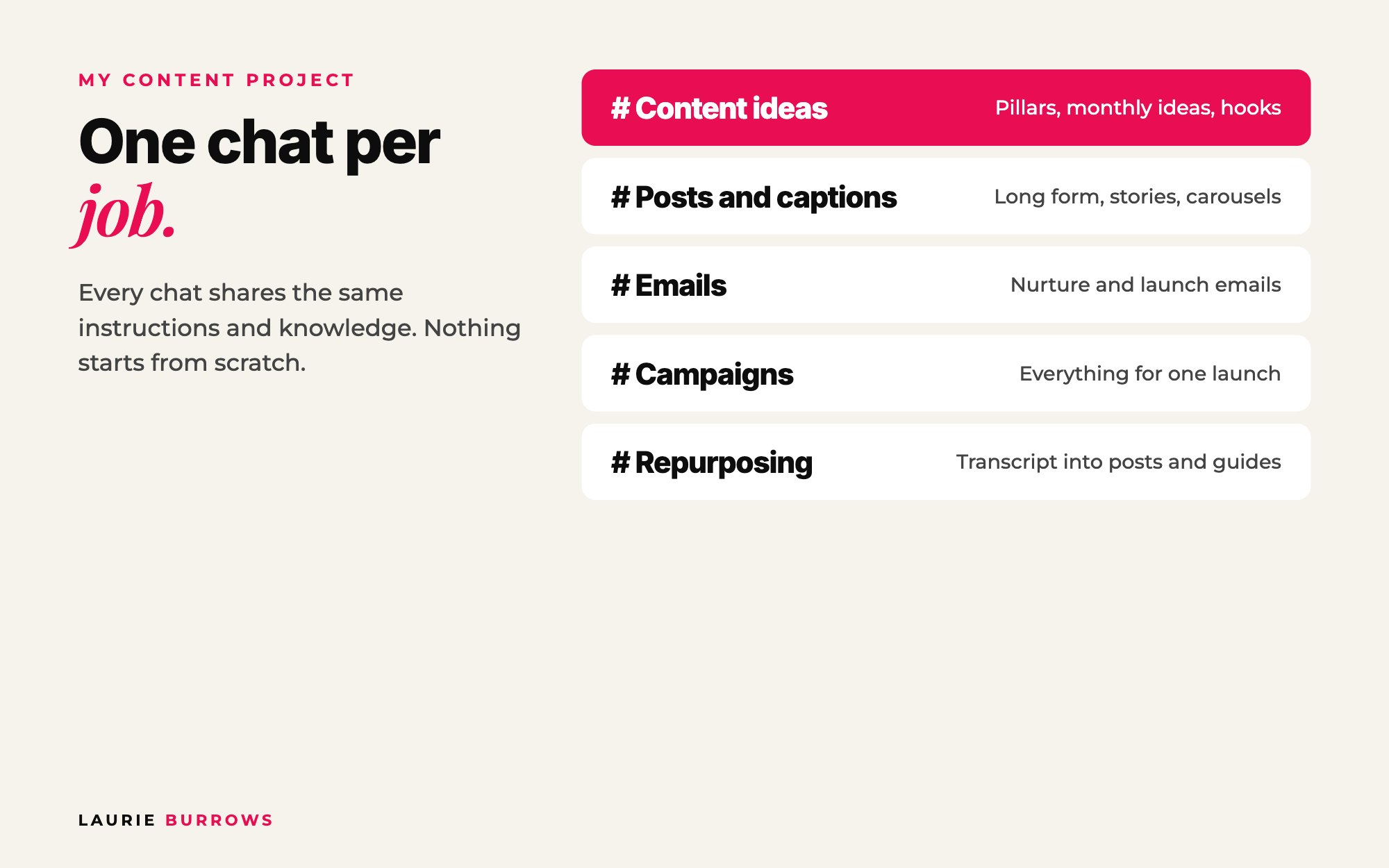
- Content ideas: pillars, monthly ideas, hooks.
- Posts and captions: turning ideas into posts and carousel text.
- Emails: nurture and launch emails.
- Campaigns: everything for one launch or one offer.
- Repurposing: turning a transcript into posts, a checklist or a free guide.
Copy and paste: first message in every new chat
Hi Claude. Read the documents in this project about my business, ideal client, offers and brand voice before you answer. In this chat I want help with [job]. Ask me any questions you need first.
Time: 5 minutes. Done when: you have five named chats.
Step 5: Run your monthly content flow
This is the flow I use most. Each prompt goes in the matching chat.
Copy and paste: the monthly flow prompts
Ideas: "Based on what you know about me and my ideal client, give me 30 content ideas for next month: 10 to attract new people, 10 to nurture and build trust, and 10 to convert towards [offer]. Use my stories and frameworks."
Write: "Write idea [number] as a long form post in my tone of voice. Give the reader one thing they can do today."
Feedback: "This is too long and 'transform' isn't a word I'd use. Cut it by a third and make the ending more direct."
Repurpose: "Turn this post into a carousel. Give me the text for each slide, 8 slides max."
Call to action: "I'm promoting [offer, price, link]. Write a call to action for this post that fits naturally."
That 10, 10, 10 split is my Attract Nurture Convert approach. If all 30 are educational tips, you'll get likes but no sales. The feedback step is the one people skip. Every time you correct it, it gets closer to you. And read every post out loud before you post. If it doesn't sound like something you'd say, it isn't finished.
Time: about an hour for a month of drafts once the project is set up. Done when: 30 ideas, written and with calls to action, ready to design and schedule.
If you'd rather skip the prompting and the scheduling altogether, the Content Creator inside Ascendia OS plans your month, writes the posts in your voice and schedules them straight to Instagram, Facebook, LinkedIn and more. You just approve them.
Step 6: Feed what you learn back into the project
When you correct the same thing twice, it belongs in the instructions, not the chat. Add new banned words, new stories, new offers and new transcripts as they happen. The project gets better every month, and when you launch, it already knows everything you've done.
Worked example: one consultant's first month
Example (illustrative): a marketing consultant promoting a $27 mini course.
- Setup: four voice notes (one hour), instructions from a brain dump (20 minutes), five chats.
- Ideas chat: 30 ideas. Attract: "3 reasons your posts get likes but no enquiries". Nurture: "the client I nearly turned away (and what she taught me)". Convert: "what's inside my $27 mini course, and who it's not for".
- Posts chat: drafts of all 30, corrected in batches of ten. Two phrases she'd never say go straight into the banned list in the instructions.
- Repurposing chat: her best five posts become carousels.
- Campaigns chat: five emails for the mini course, written from the same knowledge.
Month two takes half the time, because the instructions now hold every correction from month one.
Benchmarks
- Knowledge: four core documents minimum, brand voice answering around 20 questions.
- Ideas: 30 a month, split 10 attract, 10 nurture, 10 convert.
- Every post: one actionable takeaway and one call to action.
- Chats: one per job, never one long chat for everything.
Common mistakes (and the fix)
- Empty instructions. Default AI voice. Fix: Step 3.
- No knowledge. If it doesn't know your ideal client, it writes for everyone, which means no one. Fix: the four documents.
- Letting it do the thinking. Fix: start with your ideas, stories and opinions. AI is incredible at structuring and refining. It shouldn't decide what you believe.
- Never correcting it. Fix: give feedback on every batch and move repeat corrections into the instructions.
Your action plan
- Today: Create the project and the "Claude knowledge" folder, and record your ideal client voice note.
- This week: Record the other three documents, write your instructions with the prompt above, and set up your five chats.
- Next 30 days: Run the monthly flow once, correct every batch, and move every repeat correction into the instructions.
I've written more about the writing side in how to use Claude to create content, and about batching a month at once in 30 pieces of content in 30 minutes with AI. For the strategy behind it all, read the ultimate guide to turning content into clients. If you'd rather not build all of this from scratch, The Claude Content Engine gives you the setup and the prompts.
Want the shortcut to Claude sounding like you?
The Claude Content Engine sets Claude up to sound like you, with prompts for carousels, reels and captions and a monthly content sprint. Want to try the prompts first? Grab the free 30 Claude Content Prompts on my free resources page.
Rather have it done for you?
Get your month of content planned, written and scheduled
The Content Creator inside Ascendia OS plans your month, writes posts in your voice and schedules them. The Copywriter handles your emails, sales pages and DMs, so every post has somewhere to send people. 14 days free, no tech skills needed.
Frequently asked questions
What should I put in Claude project instructions for content?
Who you are, who your audience is, your tone of voice, British or American English, banned words and phrases, what a good post looks like for you, and when you want Claude to push back. The more detail, the less generic the content.
What knowledge should I upload to a Claude project?
Documents about your business, ideal client, offers, frameworks and brand voice, plus transcripts of you teaching. Keep them in Google Drive so you can reuse them in any project.
Is Claude better than ChatGPT for content?
Personally, I find Claude writes better copy and the projects keep big pieces of work far more organised. You can follow the same process in other tools. What matters most is what you put in.
How do I stop Claude sounding like AI?
Give it detailed instructions, real examples of how you talk, a banned phrases list and transcripts of you speaking. Start with your own ideas, then correct every draft that doesn't sound like you.
Should I use one Claude project or several?
One project per area of your business works well, for example one for content and one for a product build. Inside each, use separate chats for separate jobs so they share knowledge but stay organised.
Laurie Burrows is a UK-based marketing and sales strategist who has built a business that's generated multi-seven figures in sales through social media and digital marketing. Today, Laurie helps business owners use social media, content and digital marketing to get seen, attract more clients and make more sales. She's also the founder of Ascendia OS.
Do you want to scale your business to 10K months in the next 90 days? I am looking for 10 people for my new case study program. DM me the word CASE STUDY on Instagram (@_laurieburrows) to learn more.