Creating Cinematic Ads With AI: My Workflow
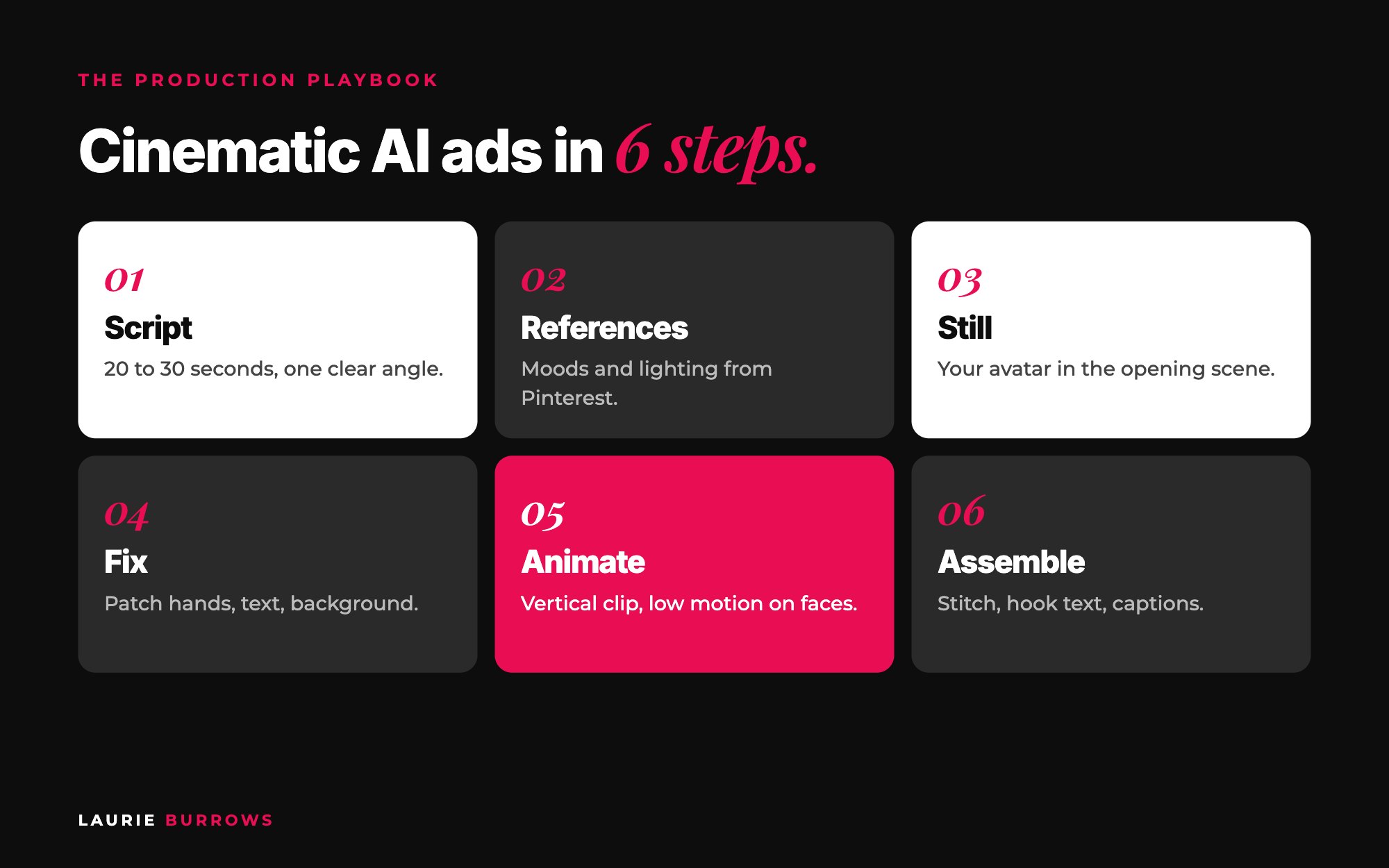
Short answer: the workflow for a cinematic AI ad is script first, then references, then a still image, then video, then edit. Write a 20 to 30 second script, save three to five mood references for lighting and setting, generate a still start frame with your AI avatar, fix the still until it's right, turn it into a short vertical clip with a detailed motion prompt, then assemble the clips with your hook text in an editor. Get the still perfect before you animate anything, because a bad image always makes a bad video, and video costs far more credits than images.
Ads have changed. A plain image with a block of text used to be enough. Now people scroll past anything that looks like every other ad in their feed. Cinematic AI video gives you scroll stopping creative that, a few years ago, would have needed a film crew, a location and a budget most coaches simply don't have.
But the first one takes a while. AI has good days and bad days. Some days every generation comes back weird, with extra fingers and strange faces, and you just have to laugh. The trick is having a workflow, so you're not guessing every time. Here it is, step by step, with the prompts to copy. Don't skip steps.
This is part of my ultimate guide to lead generation for coaches, where ads are the "buy" part of Build Borrow Buy: the quickest way to get in front of new people once your free offer is working.
What you need
- Claude (or another AI chat), ideally in a project that already holds your brand document and your offer.
- An image tool with your AI avatar: a version of you trained on your own photos, with a trigger word.
- An image editing model for small fixes, and an image to video model for animation.
- Pinterest for references, and CapCut (or similar) to edit.
- An ad tracker: one document, one tab per ad (template below).
Step 1: Set up your ad tracker
Do this before you make anything. Your chats will get long and you will lose prompts that worked. Winning scripts and prompts can be reused and tweaked again and again.
Copy and paste: ad tracker tab
Ad name:
Angle (pain, mechanism, proof or aspiration):
Script (final):
Script variations:
Hook overlay text:
References (links or screenshots):
Image prompt (final) and image chosen:
Video prompt (final) and settings:
Final file and date launched:
Results (see the testing post):
Time: 10 minutes. Done when: you have a tracker document with one tab ready for your first ad.
Step 2: Write the script first
If you go looking for visuals before you know what the ad is saying, you can't picture the scenes you need. Script first, visuals second. Aim for 20 to 30 seconds. Pick one angle: pain and problem, mechanism and solution, proof, or aspiration. Each one speaks to a different buyer.
Copy and paste: script prompt
Using my brand document and offer, write a [20 to 30] second video ad script for [offer] aimed at [ideal client]. Angle: [pain / mechanism / proof / aspiration].
Structure: a hook in the first two seconds, the problem, what changes, and a clear call to action to [free resource or low priced offer].
Also write a hook overlay: the line of on screen text for the first two seconds, under 8 words.
Then give me 5 variations of the script, each speaking to a different type of buyer.
Use your discernment. If you asked for 20 seconds and it gave you ten, tell it. Read it out loud with a timer.
Time: 30 minutes. Done when: you have one approved script, a hook overlay and five variations in your tracker.
If writing scripts and variations isn't your favourite job, the Copywriter inside Ascendia OS writes ad copy that sounds like you, so you can spend your time on the visuals.
Step 3: Find your visual references
AI image and video tools need a visual direction, not just a text description. Save three to five Pinterest references that capture the mood, lighting, energy and setting you want.
- Search for moods, not subjects. "Old money", "dark luxury", "neon city", "golden hour office", rather than "person at desk".
- Lighting first. It's the most important element.
- Pick references that suit you. For your avatar, choose people with similar colouring, or the result can look off.
- Keep a board. Save anything that catches your eye to an ads board as you scroll.
Use them as inspiration, not finished ads. Create your own version, both because it's the right thing to do and because ad platforms can reject creative that copies existing photos. And keep it simple to begin with: one strong cinematic opening scene, followed by a talking head or a demo of what you do, is a brilliant first ad. Ten scenes with dramatic transitions can take a whole day.
Time: 20 minutes. Done when: three to five references saved in your tracker.
Step 4: Create your still image (the start frame)
Download your reference and upload it into the same chat (this tends to work better than pasting a link), then ask for one complete prompt.
Copy and paste: still image prompt request
I've uploaded a reference for the opening scene of my ad. Using the script above, write one complete, paste ready image prompt for a still start frame.
Subject: [your avatar trigger word], [what they're wearing, doing, expression]. Match the reference's lighting, colour palette, setting and camera angle, but create an original scene.
Vertical 9:16. Photorealistic, cinematic. Give me the full prompt as one single block, not split into sections.
Generate four options at once so you have a choice. Use your trigger word, not "a person", or it won't look like you. Then check it properly: face, hair, colours, scene, any text in the image, and above all the hands. Count the fingers. Look at the knuckles.
Time: 20 to 40 minutes. Done when: you have one still you'd happily post as a photo.
Step 5: Fix the still before you animate it
If one element is wrong, like a sign, the background or a hand, don't start again. Patch, don't regenerate. Use an image editing model with your still as the reference and change only that bit. A small fix is far cheaper than a full regeneration.
Copy and paste: patch prompt
Using this image as the reference, change only [the left hand: five fingers, relaxed, resting on the desk]. Keep everything else exactly the same: face, hair, clothing, lighting, background and framing.
If the image just isn't working after a few patches, let it go. Some references never turn into good ads. Pick a new one and move on.
Do this now: set up your ad tracker and write your first 20 to 30 second script with five variations before you open a single image tool.
Step 6: Turn the still into video
Go back to the same chat, so it has all the context, and ask for a motion prompt from your approved still. Describe the scene in your head: what happens, how you move, what the camera does, the emotion. You don't need to be perfect. Talking it through out loud and pasting in the transcript works well.
Copy and paste: motion prompt request
Here's my approved start frame. Write one complete image to video prompt for a [6 / 8 / 10] second vertical 9:16 clip.
What happens: [e.g. she looks up from the laptop, smiles slightly, closes it and stands]. Camera: [slow push in]. Emotion: [relief, confidence]. Keep the face consistent and the motion low for the character.
One single prompt, no sections. Follow the process I gave you.
- Vertical 9:16 for reels and stories. Go slightly longer than you need so you can trim.
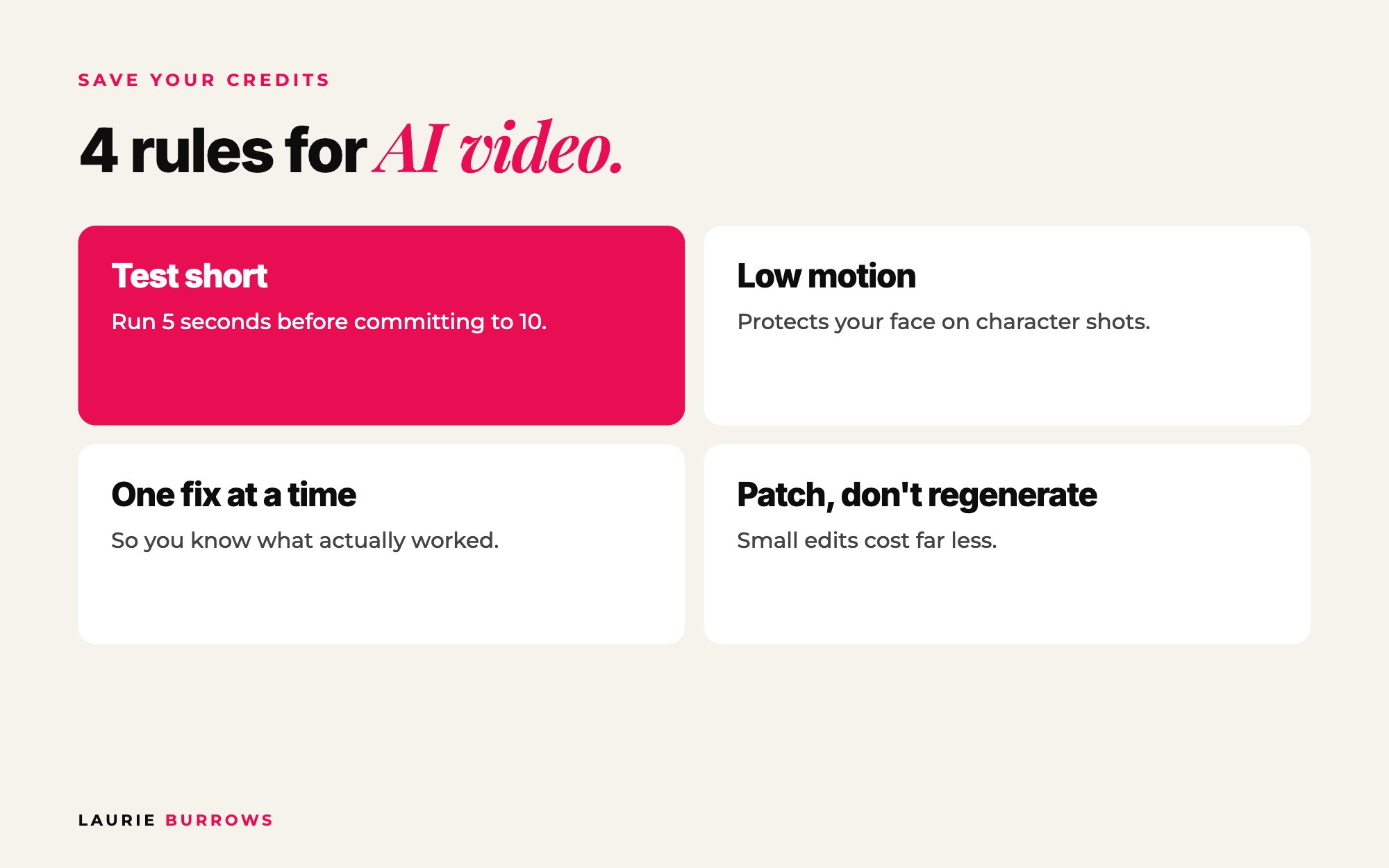
- Low motion strength for character shots. It protects your face from changing.
- Test short first. A five second generation checks the concept before you commit to a longer, higher quality one.
- One fix at a time, so you know exactly what fixed it.
When it comes back, give specific feedback with screenshots: "The opening looks like a still image, I'm not moving at all. I love that I raise my hands, but then I just stand there. Add more movement at the end." For bigger scene changes, generate one clip at a time and use a screenshot of the last frame of clip one as the start frame for clip two, so the transitions flow. And if you get a short generic prompt back, ask: "Are you sure this is the full prompt? Use the process I gave you."
Time: 30 to 60 minutes for your first clip. Done when: you have a clip with no face changes, no weird hands and the movement you pictured.
Step 7: Assemble the ad
- Stitch your clips in order in CapCut.
- Add the hook overlay in the first two seconds.
- Add captions (most people watch with the sound off), your branding and music.
- Watch it once with the sound off. Does it still make sense? If not, fix the captions or the hook.
- Export vertical, save the final file and the date in your tracker.
Time: 20 to 30 minutes. Done when: a finished 20 to 30 second ad that makes sense on mute.
Worked example: a 25 second ad for a free guide
Example (illustrative): a business coach promoting a free guide to cold audiences, pain and problem angle.
| Seconds | What's on screen | How it's made |
|---|---|---|
| 0 to 3 | Cinematic scene: avatar at a desk at midnight, laptop glow, sighs and closes the laptop. Overlay: "Posting every day. Still no clients?" | One still from a "dark moody home office" reference, one 6 second low motion clip |
| 3 to 20 | Talking head: "If you're posting every day and nobody's buying, it's not your content..." three quick fixes | Filmed on your phone, captions added |
| 20 to 25 | Call to action: "Comment GUIDE and I'll send you the full checklist" | Same talking head, text overlay |
One cinematic scene, one talking head, done in an afternoon. Then make five hook variations of that opening for testing.
Benchmarks
- Length: 20 to 30 seconds (up to 60 at most).
- Script variations: five to ten per ad.
- References: three to five, lighting first.
- Stills: four options per generation.
- Clips: 6, 8 or 10 seconds, vertical 9:16, a five second test first.
- First ad: a good few hours. Simple ads get much quicker once your tracker holds prompts that work.
Common mistakes (and the fix)
- Visuals before the script. Fix: script first, always.
- Animating a flawed still. Fix: patch the still until it's right.
- Forgetting the trigger word. It won't look like you. Fix: check every prompt.
- High motion on faces. Fix: low motion strength for character shots.
- Ten scenes on your first ad. Fix: one cinematic opening plus a talking head.
- No tracker. Fix: Step 1, before anything else.
Where should the ad send people?
Not straight to your offer. Cold audiences don't know you yet. Send them to a free resource or a low priced offer first, then build trust. Read why sending ads straight to your offer wastes money, and if you're just getting started with budgets, the $5 a Day Ads Strategy. Then test properly, one layer at a time: how to test ads without wasting money.
The page your ad sends people to matters as much as the ad. The Funnel Builder inside Ascendia OS builds your opt-in page, thank you page offer and checkout, ready to go live on your own domain. For the full picture of how ads fit into getting leads, see the ultimate guide to lead generation for coaches.
Your action plan
- Today: Create your ad tracker, write your first script with the prompt above, and start a Pinterest ads board.
- This week: Generate and patch your start frame, animate one opening clip, and assemble it with a talking head in CapCut.
- Next 30 days: Make three concepts and five hook variations for the winner, test them one layer at a time, and save every prompt that works in your tracker.
If you want to get properly good at the image side, the stills that everything else depends on, that's what AI Image School teaches.
Want to create scroll stopping AI images for your ads?
AI Image School teaches you how to create AI images, from ad creative to carousel covers, so your start frames are right before you spend a single video credit. Prefer a free first step? Have a look at my free resources.
Rather have it done for you?
Let Ascendia OS handle the words and the funnel behind your ads
You make the cinematic visuals. The Copywriter writes your ad copy and hooks in your voice, the Funnel Builder builds the opt-in page and checkout the ad sends people to, and the Email Marketer follows up with everyone who opts in. 14 days free, no tech skills needed.
Frequently asked questions
How long should a cinematic AI ad be?
Aim for 20 to 30 seconds. People decide in the first few seconds whether to keep watching, so the opening scene and hook text matter more than length.
Do I need an AI avatar of myself to make AI video ads?
Not always, but it helps a personal brand enormously. An avatar trained on your photos means the person in the ad is recognisably you, which builds trust far faster than a stranger.
Why does my AI video look weird or change my face?
Usually the still image was the problem, or the motion was too strong. Fix the still first, use low motion for character shots, and test a short clip before generating a longer one.
How long does it take to make a cinematic AI ad?
Your first one might take a good few hours, especially with lots of scenes. Simple ads with one cinematic opening and a talking head get much quicker once you have the workflow and a tracker of prompts that work.
Should I use Pinterest images directly in my ads?
Use them as mood and lighting references, not as finished creative. Create your own version, which is fairer to the original creator and less likely to be rejected by the ad platform.
Laurie Burrows is a UK-based marketing and sales strategist who has built a business that's generated multi-seven figures in sales through social media and digital marketing. Today, Laurie helps business owners use social media, content and digital marketing to get seen, attract more clients and make more sales. She's also the founder of Ascendia OS.
Do you want to scale your business to 10K months in the next 90 days? I am looking for 10 people for my new case study program. DM me the word CASE STUDY on Instagram (@_laurieburrows) to learn more.